
Amazon Associates Program Disclosure
As an Amazon Associate, Kazazone earns from qualifying purchases.
Three gamers walk into Jarir asking for “the best gaming keyboard.” Three different boards walk out. Because “best” depends entirely on what you actually play, where you sit, and how much desk space you’ve got between your screen and the edge.
This guide is for Saudi gamers who know they want a gaming keyboard but aren’t sure which form factor or price tier makes sense. Three picks, one for each use case: premium full-size, wireless low-profile, and budget TKL. If you want the enthusiast hot-swap deep-dive, check our Best Mechanical Keyboards guide — this one is about fitting the keyboard to the setup.
Best Gaming Keyboards in Saudi Arabia 2025 — By Use Case and Budget
Gaming keyboards in KSA span SAR 200 no-name imports all the way to SAR 1,500 enthusiast builds. Most people don’t need either extreme. This roundup covers the three boards that actually make sense for 90% of Saudi gamers in 2025: a proven premium full-size with Cherry switches, a wireless low-profile for minimalist setups, and a budget TKL that punches way above its price tag. All three ship from Amazon.sa, all three work with Mada, and all three will still be good in three years.
Kazazone Verdict: For most Saudi gamers wanting a do-everything full-size gaming board, the Corsair K70 RGB MK.2 is the pick — Cherry MX reliability, metal frame, and a known quantity. If you want the cleanest wireless desk and prefer a low-profile feel, Logitech G915 TKL Lightspeed earns the premium. And if you’re building a first gaming setup under SAR 400, HyperX Alloy Origins Core is the smartest buy.
Corsair K70 RGB MK.2
The classic premium full-size — metal frame, Cherry switches, and the most proven RGB layout.
4.7/5
(3,100+ global reviews)
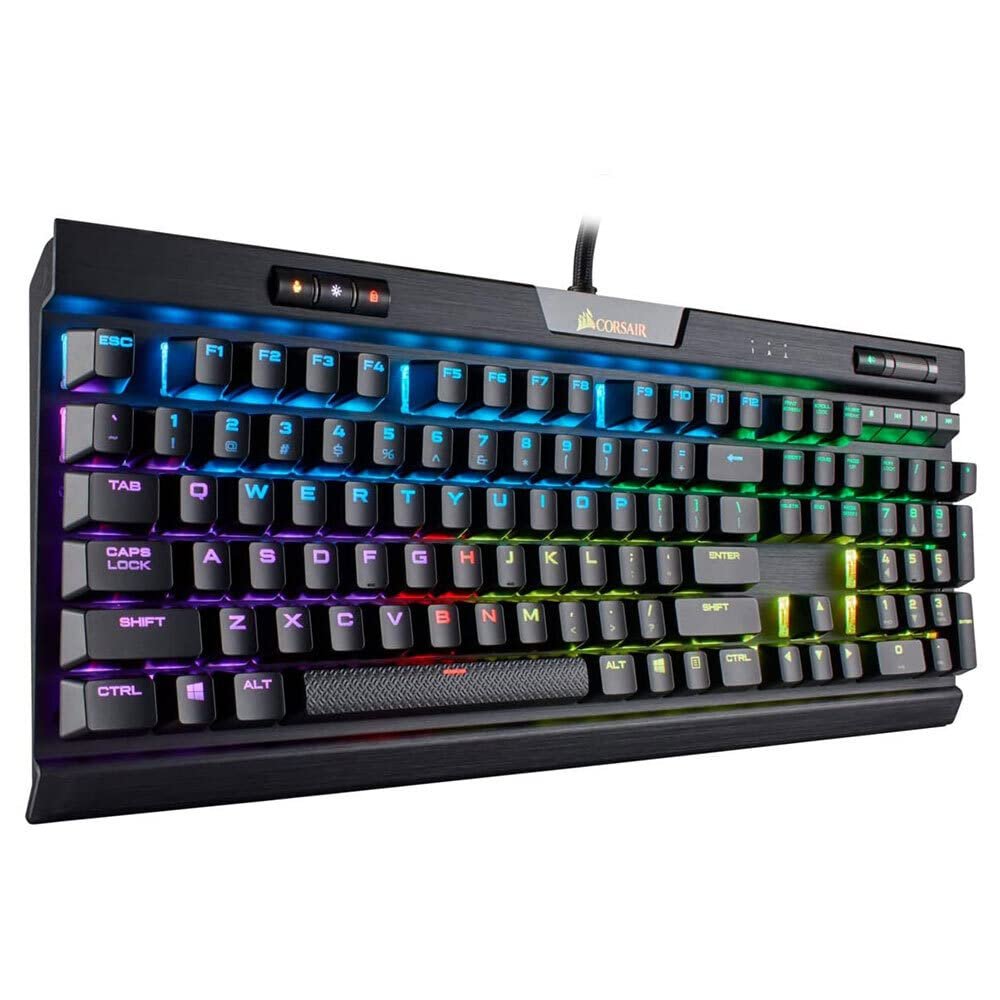
The K70 has been the default premium gaming keyboard for so long that it’s almost boring to recommend — and that’s exactly why we recommend it. Aircraft-grade aluminum frame that won’t flex even if you slam the desk after a Warzone loss. Genuine Cherry MX switches (Red, Brown, Speed, Silent options) with the build quality consistency Cherry is known for. And USB pass-through so your mouse dongle has a port right next to the keys.
The RGB lighting is where Corsair earns the premium. Per-key programmable through iCUE, with a dedicated strip along the top for visual effects. For streaming setups in Riyadh or Jeddah, this keyboard is the one that looks good on camera. The detachable magnetic wrist rest is soft-touch rubber and stays in place — most competitors skip this or use cheap plastic.
Downsides: iCUE is bloated software that runs 300MB+ of RAM in the background. The full-size layout means less desk room for mouse movement. And at SAR 799 it’s in premium territory — you’re paying for the Cherry switches and build, not new tech. If you want wireless or a smaller form factor, look at options 2 and 3.
- Aircraft-grade aluminum frame
- Genuine Cherry MX switches, multiple options
- USB pass-through port
- Magnetic wrist rest included
- iCUE software is heavy (300MB+ RAM)
- Full-size eats desk space
- Heavier than average at 1.5kg
| Switch Options | Cherry MX Red / Brown / Speed / Silent |
| Layout | Full-size (104 keys) |
| Frame | Aircraft-grade aluminum |
| Connection | USB wired + pass-through |
| RGB | Per-key + top light bar |
Right for you if: You want a full-size gaming board with numpad, you stream or record content where lighting matters, and you want a keyboard that’ll last 5+ years without drama. The default premium pick.
Logitech G915 TKL Lightspeed
Low-profile, wireless, TKL — the cleanest gaming desk you can build without custom work.
4.6/5
(2,100+ global reviews)
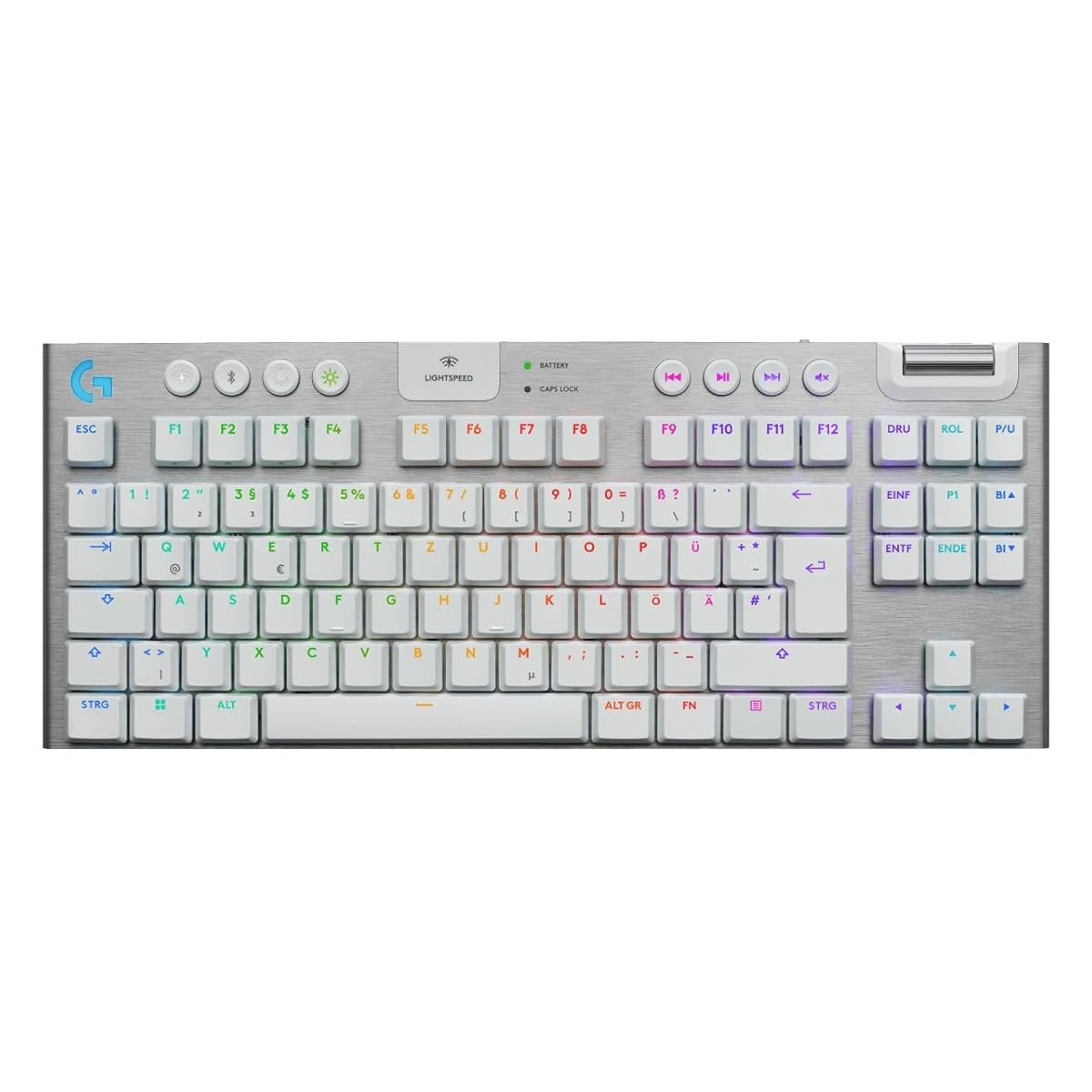
The G915 TKL is what you buy when you’ve decided your desk should look like an Apple ad. Low-profile GL switches — choose between Tactile, Linear, or Clicky — that feel somewhere between a laptop keyboard and a standard mechanical. Once your fingers adjust, you type faster on this than on tall keys. And the low-profile means your wrist lies flatter, which pays off after 3-hour sessions.
Lightspeed wireless is Logitech’s low-latency 2.4 GHz protocol — it’s the same tech in the Superlight 2 mouse, and it’s genuinely indistinguishable from wired in real-world gameplay. Battery lasts around 40 hours with RGB on, longer with it dimmed. You can also use Bluetooth as a secondary connection for switching to a Mac or iPad, which is useful in KSA where multi-device workflows are common.
Where it struggles: SAR 1,199 is the most expensive board in this roundup. The low-profile keys aren’t for everyone — if you like a deep mechanical thock, this will feel shallow. And the non-standard keycap size means aftermarket keycap sets don’t fit. Worth it if you love the look and feel; skip if you’re a typing traditionalist.
- Wireless Lightspeed + Bluetooth
- Low-profile, easier on wrists
- Clean premium aluminum body
- 40-hour battery with RGB
- SAR 1,199 — most expensive here
- Low-profile feel not universal
- Non-standard keycaps — no aftermarket
| Switch Options | GL Low-Profile: Tactile / Linear / Clicky |
| Layout | TKL (87 keys) |
| Connection | Lightspeed 2.4 GHz + Bluetooth |
| Battery | ~40 hours with full RGB |
| Height | Low-profile, 22 mm |
Right for you if: You want a minimalist, cable-free setup, you already own a Logitech mouse/headset, and you’re fine paying the premium for the aesthetic. Also right if you share the keyboard with work/Mac setups via Bluetooth.
HyperX Alloy Origins Core
Metal frame and HyperX Red switches at a price that shouldn’t include either.
4.6/5
(2,900+ global reviews)
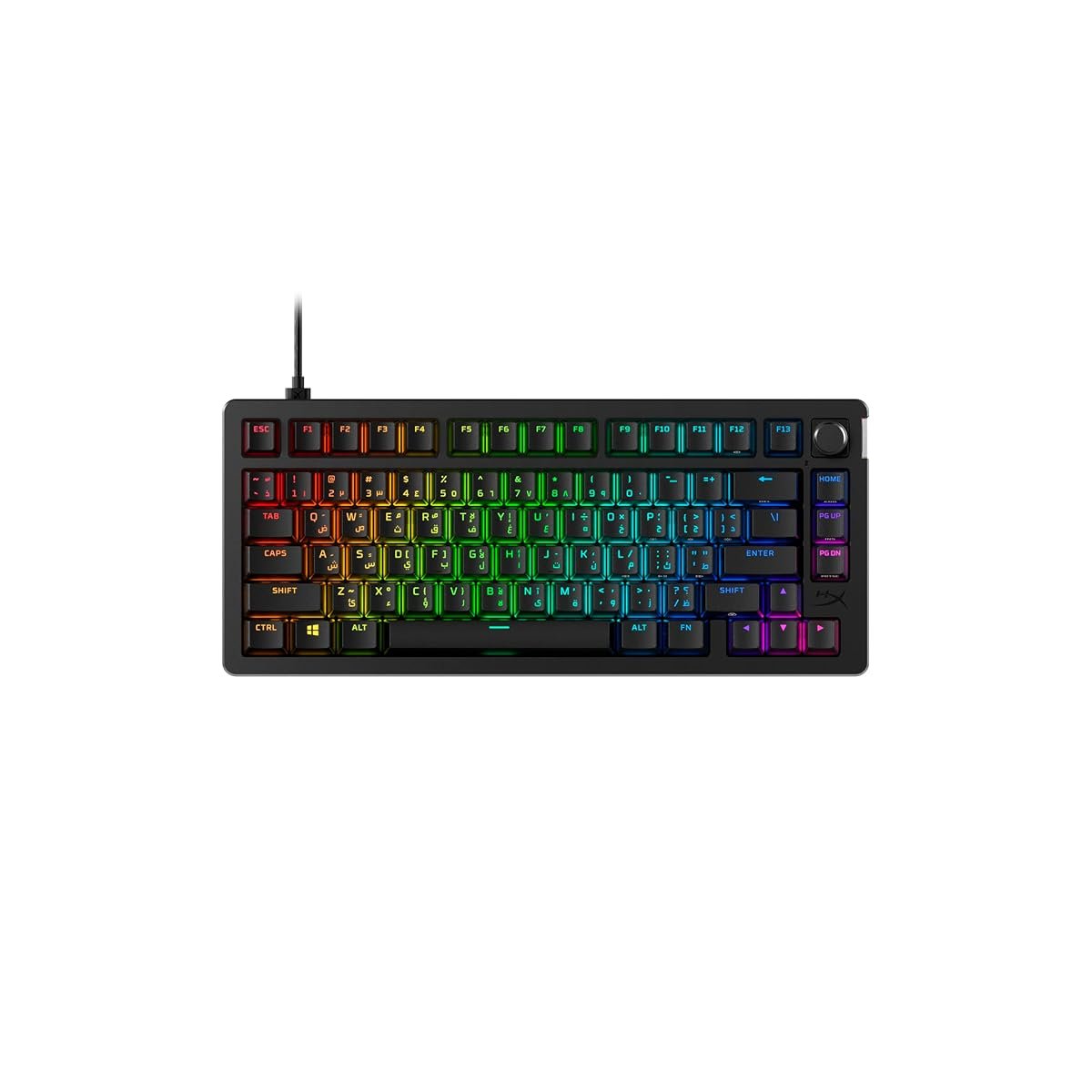
The Alloy Origins Core is what you buy when you want 80% of a premium gaming keyboard for 50% of the price. Full aluminum frame — the same build quality as the Corsair K70 — at SAR 399. HyperX’s own Red linear switches are surprisingly good, tuned for gaming, rated for 80 million actuations. You’re not getting Cherry quality, but for most players the difference is imperceptible.
The TKL layout is the smart middle ground. You lose the numpad (which most gamers never touch), you gain desk space for mouse movement, and you shave 300 grams off the weight — useful if you move your keyboard between rooms. The detachable USB-C cable means if you damage it, you swap it instead of replacing the whole board. Small thing, big deal in year three.
Where it falls short: HyperX NGenuity software is ugly and feels half-finished. There’s no wireless option. And keycap quality is ABS, which will shine up with heavy use after a year. For SAR 399 none of these are dealbreakers — this is the best quality-per-riyal gaming keyboard currently on Amazon.sa.
- Full aluminum frame at SAR 399
- HyperX Red switches — 80M actuations
- TKL saves desk space
- Detachable USB-C cable
- NGenuity software feels unfinished
- Wired only, no wireless option
- ABS keycaps will shine
| Switch Type | HyperX Red linear (80M rated) |
| Layout | TKL (87 keys) |
| Frame | Full aluminum |
| Connection | Detachable USB-C wired |
| RGB | Per-key |
Right for you if: You’re upgrading from a membrane keyboard for the first time, you’re buying for a teenager, or you just refuse to pay over SAR 500 for a keyboard when the SAR 400 option is 90% as good.
Wrist rest. The K70 includes one, the G915 doesn’t, the Alloy Core doesn’t. Budget SAR 50–150 if you need one — long sessions without a rest damage wrists over time.
Arabic keycaps. All three boards ship with Latin-only keys. Arabic-layout versions exist but add SAR 40–100 and a week of shipping if ordered specifically.
Keycap upgrade. The G915’s non-standard caps can’t be swapped. The K70 and Alloy take standard MX keycaps — a decent PBT set costs SAR 150–300 and lasts years longer than stock ABS.
Software RAM overhead. Corsair iCUE runs 300MB+ constantly. Logitech G-Hub is lighter but still 150MB. HyperX NGenuity is smallest at 80MB. If you’re on a modest PC, this matters.
Real math for the K70 path: SAR 799 keyboard + SAR 100 PBT keycaps + SAR 50 cable tie/routing = SAR 949 for the full setup.
Things Saudi Gamers Should Know Before Buying
Full-size vs TKL decision. If you play strategy games or do Excel work, keep the numpad. If you only play FPS and MMO, TKL saves real desk space — roughly 20cm of width — which matters in KSA’s typical bedroom setups where desk is shared with school/work.
Amazon.sa vs noon vs Jarir. Premium keyboards are often SAR 100–200 cheaper on Amazon.sa than Jarir, but Jarir lets you feel the switches first — worth a trip before committing to SAR 1,000+. noon has aggressive Ramadan and White Friday promotions, sometimes beating Amazon.
Summer and keyboard lifespan. Saudi summer dust + food crumbs from long sessions = keyboard enemy. The Corsair and HyperX boards are cleanable (remove keycaps, blow out dust). The G915 low-profile keys don’t come off as easily — factor in harder cleaning.
Mada and STC Pay both work. All three are available on Amazon.sa and noon with Mada and STC Pay. No credit card needed.
Resale on Haraj. Corsair and Logitech gaming keyboards hold value well — 65–75% in the first year with original box. HyperX resells at 50–60%. If you think you’ll upgrade in a year, Corsair or Logitech are the smarter long-term spend.
Frequently Asked Questions
Q: Is the Corsair K70 worth SAR 799 over the HyperX at SAR 399?
If you care about Cherry switch quality, the included wrist rest, and USB pass-through — yes. If you just want a mechanical board for gaming, the HyperX gets you 90% of the experience for half the money.
Q: Should I get a full-size or TKL?
TKL for most gamers — you free up desk space for your mouse arm. Full-size only if you genuinely use the numpad weekly (accounting, Excel power users, or certain MMOs with keybind setups).
Q: Wireless vs wired in 2025 — does it matter for gaming?
For modern 2.4 GHz wireless like Lightspeed, no — latency is imperceptible in real gameplay. The difference is cable management and the freedom to use the keyboard across rooms. Worth the premium if those matter to you.
Q: Which of these has the best typing feel for writing/work?
The K70 with Cherry Brown switches. Tactile bump gives typing feedback without the Blue clickiness. The G915’s low-profile is divisive for typing; the Alloy’s Red linears are fine but less refined for long writing.
Q: Warranty in Saudi Arabia?
Corsair and Logitech: 2-year warranty via Amazon.sa or authorized dealers. HyperX: 2-year post-HP acquisition, RMA through their regional partner. Keep your order email — it’s your proof.
As an Amazon Associate, Kazazone earns from qualifying purchases. When you buy through our links, we may earn a small commission at no extra cost to you. This helps us keep creating honest, independent reviews for Saudi gamers.



One Response