
Amazon Associates Program Disclosure
As an Amazon Associate, Kazazone earns from qualifying purchases.
Your setup has a SAR 2,499 chair, a QHD monitor on an Ergotron arm, and a cable explosion underneath that looks like someone dropped a plate of spaghetti behind your desk. Every time you clean the house your mother asks about it. Every time you film a TikTok you have to angle the camera away from the floor. SAR 200 of cable management fixes all of it in one Saturday afternoon.
Three products do 95% of the work for Saudi gamers. A fabric sleeve to bundle the run, an under-desk tray to lift cables off the floor, and a power-strip box that hides the fire hazard you keep meaning to fix. Let’s be real — this is the easiest upgrade you can make to your setup.
Best Cable Management Solutions for Gamers KSA 2025 — JOTO vs IKEA vs Baseus
Three complementary cable management products for Saudi gaming setups. JOTO Cable Management Sleeve to bundle the long runs between monitor, PC, and power. IKEA SIGNUM horizontal cable tray to lift cables off the floor under any standing desk. Baseus Cable Management Box to hide the power strip and transformer bricks. Total cost under SAR 370 for a clean-desk transformation. Tested in Saudi villas, standing desks, and dusty AC conditions.
Kazazone Verdict: Unlike most buying guides, the answer here is buy all three — they solve different problems and together cost under SAR 370. Start with the JOTO Cable Sleeve if budget is tight — it’s the single highest-impact SAR 89 you can spend on a setup. Add the IKEA SIGNUM tray if you have a standing desk. Add the Baseus Cable Box if your power strip is visible to guests or the camera.
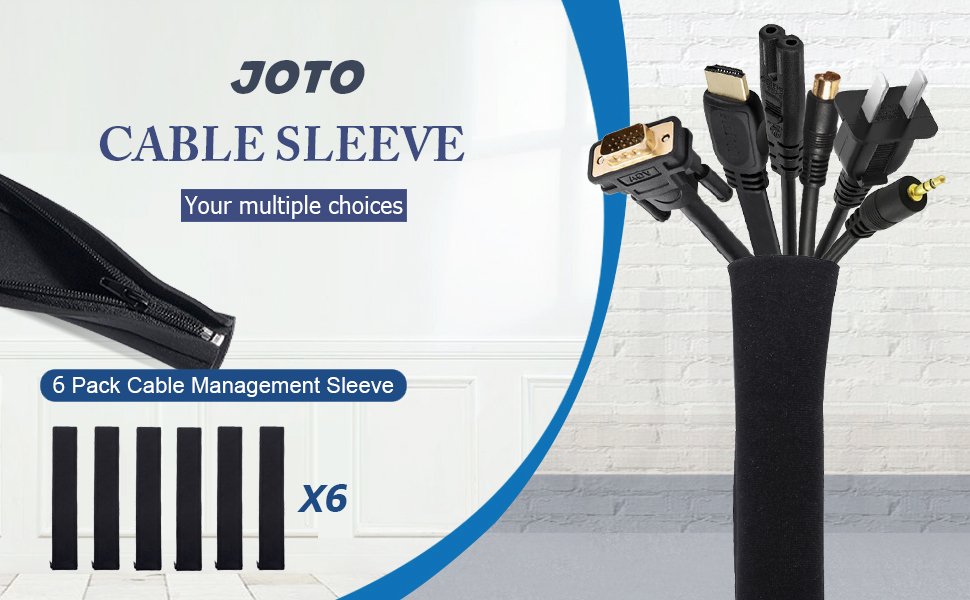
Quick take: If you buy only one product from this guide, buy the JOTO. SAR 89 is a rounding error that transforms how your setup reads on camera.
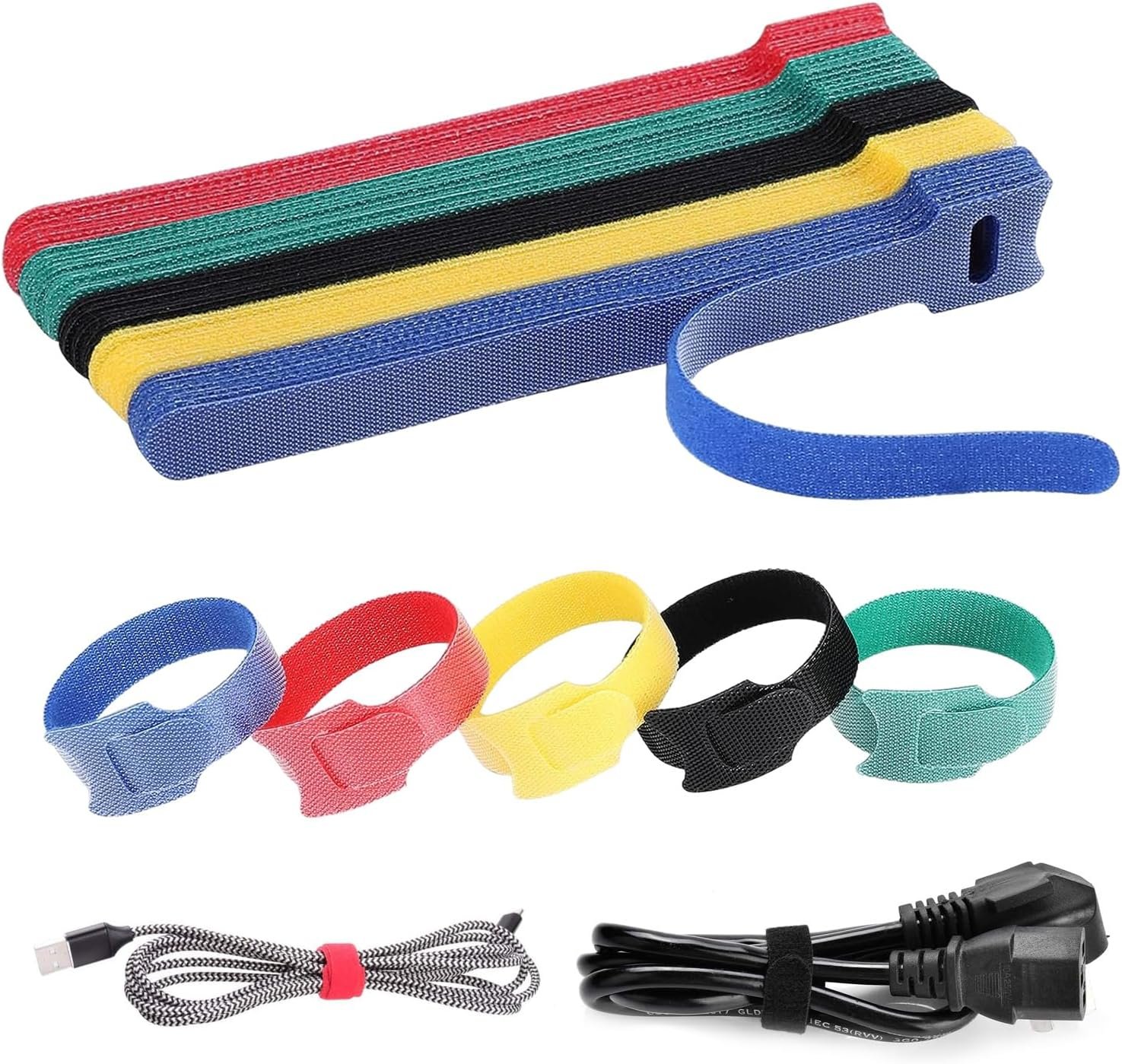
Quick take: The SIGNUM is the one product that made me genuinely reconsider every previous setup. It’s that good for standing desks.
The Hidden Costs Nobody Warns Saudi Gamers About
Cable management seems like a three-product purchase. Here’s what actually goes into the full clean-desk transformation.
- Adhesive cable clips — For routing cables along the underside of the desk before the tray or sleeve. 3M Command strip clips from Jarir: SAR 30-50 per 20-pack.
- Velcro cable ties (reusable) — Inside the sleeve you still want to bundle with velcro straps for structure. SAR 30 per 50-pack from Amazon.sa.
- Longer cables (some runs) — Once cables route through tray then up and along, the original length might not reach. Budget SAR 100-150 for replacement HDMI/DisplayPort/USB cables of proper length.
- Cable labels — If you have 8+ cables in a bundle, labeling saves 10 minutes every time you add or remove a device. Brother label maker: SAR 199 one-time, or Sharpie on masking tape: SAR 10.
- Dust blower for the tray — Steel mesh SIGNUM accumulates dust in Saudi HVAC. Compressed air can or rocket blower: SAR 40-80 every 6 months.
Full clean-desk transformation all-in: SAR 500-650. Still the cheapest visible upgrade on a gaming setup, and the one that actually makes you want to work/play at the desk more.
Which Product(s) Should YOU Buy?
Start with JOTO Sleeve alone if you…
- 🎮 Have tight budget (SAR 100 ceiling)
- 🎮 Want highest visual impact fastest
- 🎮 Cables run visibly between monitor and PC
- 🎮 Don’t have a standing desk
- 🎮 Power strip is hidden already
Buy all 3 if you…
- 🎮 Have a FlexiSpot / Uplift standing desk
- 🎮 Stream or film content at your desk
- 🎮 Run 6+ devices (multiple monitors)
- 🎮 SAR 400 is not a barrier
- 🎮 Want a one-Saturday transformation
Pro tip: JOTO first, then SIGNUM tray in week 2, then Baseus box in week 3. Staging the purchase lets you see each product’s impact independently.
Things Saudi Gamers Should Know Before Buying
Availability: JOTO is Amazon.sa only — 2-day Prime delivery to Riyadh and Jeddah. Baseus is both Amazon.sa and noon.sa, with 2-3 day delivery across KSA. IKEA SIGNUM is the tricky one: buy in-store at IKEA Riyadh (Granada) or IKEA Jeddah (Kingdom City), OR order online via IKEA KSA site with 5-7 day delivery. Secondary cities without IKEA stores (Tabuk, Abha, Hail) must use IKEA online with longer shipping.
Mada and STC Pay friendliness: All three retailers (Amazon.sa, noon, IKEA KSA) accept Mada, STC Pay, and Apple Pay. At SAR 89-149 per product, none qualify for Tabby/Tamara installments; pay full on card.
Saudi summer and fire safety: A cable management box under sustained load creates heat. Don’t run your gaming PC PSU (400-750W) through a single strip inside a Baseus box — use two separate strips, one inside the box for transformers, one outside for high-draw devices. Saudi summer AC cycles mean condensation is real; check the tray and box every 3 months for moisture.
Works with FlexiSpot / Uplift / Eureka: The SIGNUM tray mounts cleanly to all three standing desk brands. For the Eureka Ergonomic I1 specifically, check that the tray’s mounting clearance doesn’t conflict with the desk’s motor bracket — offset the tray 5cm from center if needed.
Resale value: None of these resell well on Haraj — they’re perceived as used personal-hygiene items. Budget them as consumables rather than assets. Lifespan in KSA conditions: JOTO 3-5 years, SIGNUM 10+ years (it’s just steel), Baseus 3-4 years before yellowing becomes noticeable.
Frequently Asked Questions
Can I use the JOTO sleeve over USB-C or Thunderbolt cables?
Yes, no issues. The neoprene doesn’t interfere with signal integrity on USB-C, Thunderbolt 3/4, or DisplayPort cables. Don’t over-tight the velcro if you have fragile ribbon-style cables, but modern gaming cables (Logitech, Razer, Corsair) handle it fine.
Does the SIGNUM work with my IKEA LINNMON desk?
Yes, but LINNMON is thinner than premium desks so the included screws may penetrate through. Use the shorter screws IKEA provides in the hardware bag, or swap for 15mm wood screws from Jarir’s hardware section (SAR 10 per pack).
Is the Baseus box safe for a gaming PC power supply?
No, and this is important. Gaming PC PSUs draw 400-850W and generate significant heat — they should stay inside the PC case, not in a sealed box. The Baseus is for transformer bricks (routers, hubs, monitor transformers, controller chargers) and your power strip. Keep the PC PSU as-is.
How many JOTO sleeves do I need for a standard setup?
Two is usually enough for a single-monitor setup: one from desk-down to PC, one from PC to power strip. Three for dual-monitor or full streaming setup. Each sleeve is 1.5m and can chain end-to-end with overlap.
Any issue with IKEA SIGNUM’s warranty in Saudi Arabia?
IKEA KSA honors their 365-day returns policy on hardware like SIGNUM — just keep the receipt. For actual warranty claims (bent brackets, chipped paint), return to any IKEA store in Riyadh or Jeddah within the returns window. After that, treat it as a consumable.
As an Amazon Associate, Kazazone earns from qualifying purchases. When you buy through our links, we may earn a small commission at no extra cost to you. This helps us keep creating honest, independent reviews for Saudi gamers.