
🔥 Best Pick This Week: Best PC Gaming Audio Setup KSA 2025 — DAC + Open-Back + USB Mic Stack Read Comparison →

Amazon Associates Program Disclosure

As an Amazon Associate, Kazazone earns from qualifying purchases.

You drop SAR 2,500 on a mechanical keyboard, SAR 900 on a mouse, and then mouse them both across a laminated desk surface that catches every crumb from last Thursday’s midnight kabsa run. The finishing move on a serious setup is a desk-size mat that covers the whole surface — not a 300x250mm mouse pad that leaves your keyboard on bare wood. And once you look at it, you can’t unsee it.

Three mats dominate the full-desk category at 900x400mm and larger. We tested the SteelSeries pro-tour standard, the Logitech competitive mat, and the Razer 3XL — all in Saudi heat, all under real setups, all with the honest question of which one survives the snack-era we live in.

Best Gaming Desk Mats Saudi Arabia 2025 — SteelSeries vs Logitech vs Razer

Three full-desk gaming mats (900x400mm+) tested in Saudi setups. SteelSeries QcK Heavy XXL for the pro-tour proven standard. Logitech G840 XL for competitive-favored texture. Razer Gigantus V2 3XL for the largest footprint at 1200x550mm. Which mat survives a summer of snack crumbs, AC condensation drips from a cold water glass, and a mouse at 16,000 DPI chasing headshots for ten hours a day?

3
Desk Mats Tested
SAR 199 – 299
Price Range
SteelSeries
Our #1 Pick

Kazazone Verdict: The SteelSeries QcK Heavy XXL is the right buy for most Saudi gamers — it’s the most durable cloth we tested, the stitched edges hold up in KSA dryness, and the price is fair at SAR 249. If you play Apex or Valorant and prefer a smoother control surface, the Logitech G840 XL is the competitive-community favorite. Need maximum footprint for a three-monitor setup? The Razer Gigantus 3XL at 1200x550mm is the largest mat worth buying in KSA.
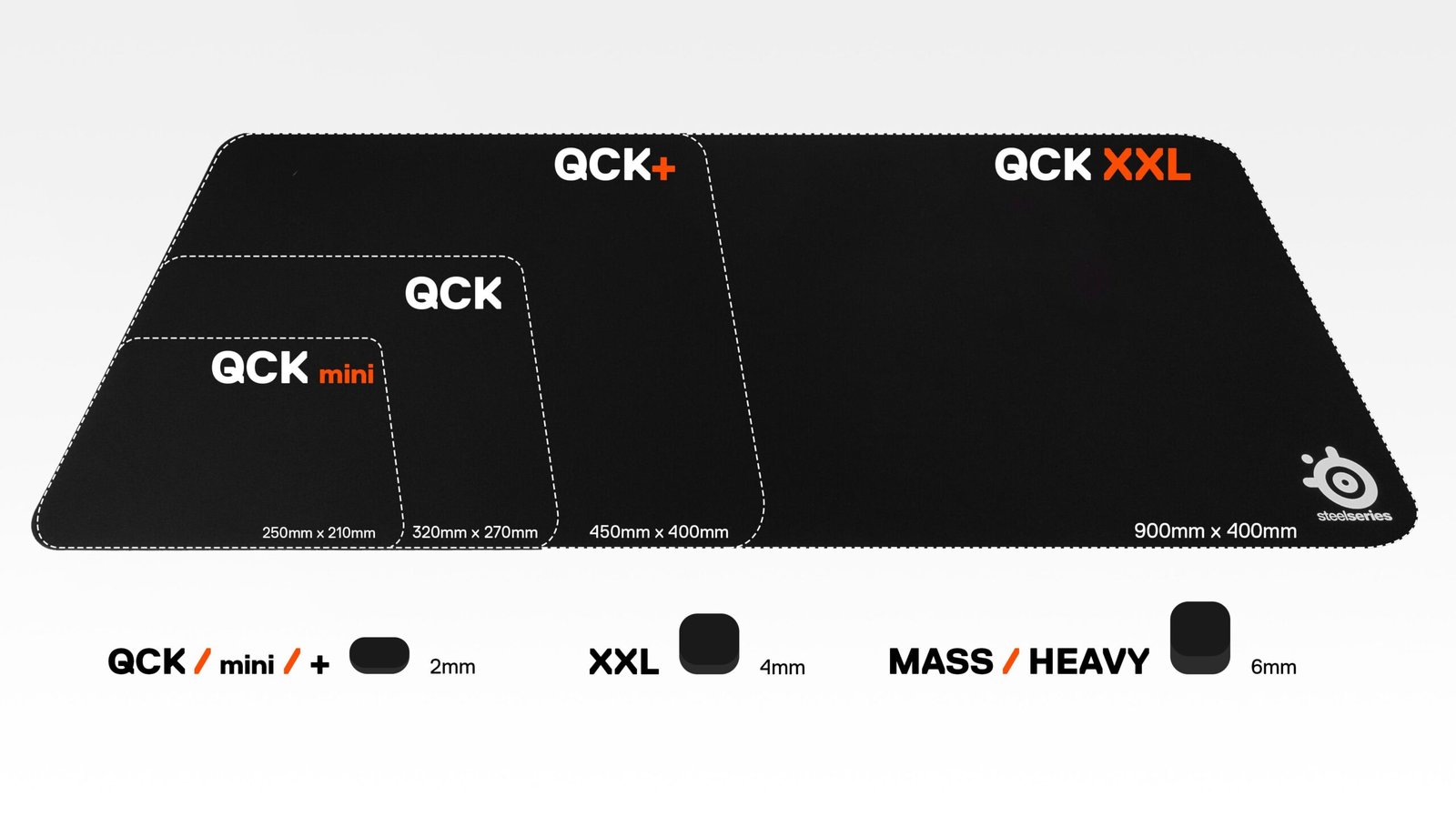
OPTION #1 — Best Overall Durability
SteelSeries QcK Heavy XXL

SteelSeries QcK Heavy XXL

Model: QcK Heavy XXL | 900x400x6mm | Available on Amazon.sa, Jarir, noon

★★★★½ 4.7/5 (Our Rating)

Let’s be real for a second — the QcK is basically the industry reference. The 6mm thickness (twice the base QcK) provides serious cushion against hard desk impacts and absorbs audio from a mechanical keyboard rather than amplifying it. Cloth texture is the same QcK micro-woven surface optical sensors have been tuned against for fifteen years — meaning your Razer, Logitech, or SteelSeries mouse sensor is calibrated for it out of the box.

Edge stitching on the Heavy XXL is what separates it from cheaper mats. The fiberglass-reinforced stitched border doesn’t peel after six months like flat-edge mats do — that’s the failure mode you see on Haraj listings of 2-year-old gaming mats. Rubber base has real grip on laminate and glass desks; we slid this across a FlexiSpot EN1B in full motion mode and it stayed put.

Downsides are minor. The black-only aesthetic is boring if you’re building an RGB-heavy setup (SteelSeries makes Prism RGB variants but they’re SAR 450+ and the LEDs get flaky after a year). Cleaning is the honest issue — cloth mats absorb liquid, and Saudi summer means the occasional water condensation drip from a cold glass will leave a ring. Hand-wash every 4-6 months with mild soap; machine wash kills the rubber base.

✓ Pros
  • Micro-woven surface sensors trust
  • 6mm cushion for keyboard audio
  • Fiberglass-reinforced stitching
  • Strong rubber base grip
  • 3-year warranty via SteelSeries
✗ Cons
  • Black-only at this price
  • Cloth absorbs liquid drips
  • Needs hand-wash every 4-6 months
  • No RGB (Prism RGB costs 2x)
Price (KSA) SAR 249
Dimensions 900x400x6 mm
Surface Micro-woven cloth
Base Non-slip rubber
Warranty 3 years via SteelSeries

Right for you if: You want a no-drama full-desk mat that lasts 3+ years. You don’t need RGB. You use a cloth-preferred optical mouse sensor (all modern mice qualify).

SAR 249 on Amazon.sa

Check Price on Amazon →

Quick take: SteelSeries is what most pros played on through 2015-2020. It’s a safe, boring-in-the-best-way pick.
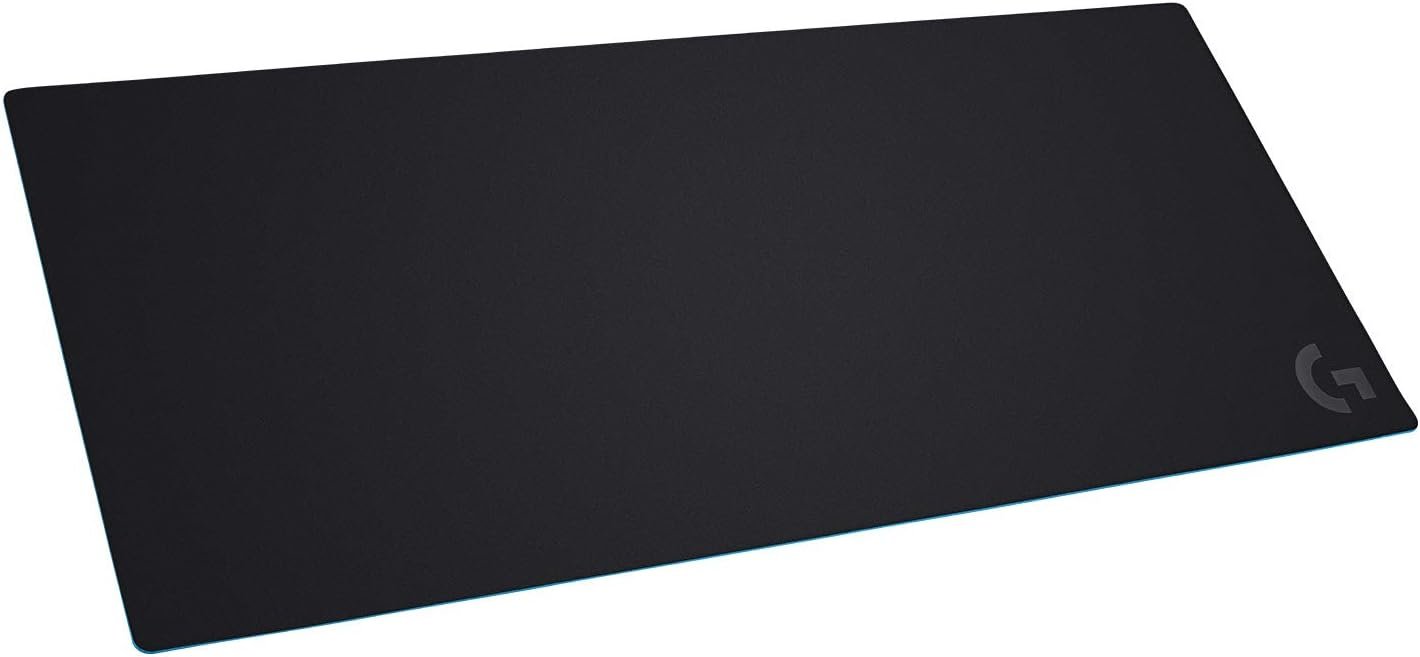
OPTION #2 — Best for Competitive FPS
Logitech G840 XL

Logitech G840 XL

Model: G840 XL | 900x400x3mm | Available on Amazon.sa and Jarir

★★★★½ 4.6/5 (Our Rating)

The G840 XL is the mat you’ll see under most competitive Valorant, Apex, and CS2 players’ keyboards. The surface is a bit faster than the QcK — same cloth feel but slightly smoother weave means less friction for flick shots and aim-snap motions. Logitech G-Hub tuned their HERO sensor specifically against this texture, so a G Pro X Superlight on a G840 is the matched pair.

3mm thickness is the right call for competitive use. Thinner means faster sensor pickup on sudden motion — if you’re coming from a thick QcK, the first hour on a G840 feels like the mouse is finally getting out of its own way. Rubber base has even better grip than the QcK; I genuinely couldn’t slide this mat on a Secretlab armrest that’s polished to a near-marble shine.

Catches: at 3mm, keyboard audio isn’t dampened the way it is on the 6mm QcK — mechanical switch noise transmits more on a hard desk below. Edge is simple cloth (not fiberglass-stitched), so wear on the edges will appear around the 14-18 month mark with heavy use. Logitech KSA support is fine but simpler than SteelSeries — you’ll replace before you warranty.

✓ Pros
  • Faster surface for FPS flicks
  • Best-tuned for Logitech HERO sensors
  • Superior rubber base grip
  • Competitive-community standard
  • Thinner = faster sensor pickup
✗ Cons
  • Less keyboard audio dampening
  • Edge fraying at 14-18 months
  • No Logitech Blue RGB accent option
  • 2-year warranty (vs SteelSeries 3)
Price (KSA) SAR 299
Dimensions 900x400x3 mm
Surface Smooth-weave cloth
Base High-grip rubber
Warranty 2 years via Logitech KSA

Right for you if: You play ranked Valorant, CS2, Apex, or Overwatch seriously; you use a Logitech HERO-sensor mouse (Superlight, G502, G Pro Wireless); and you prioritize speed over keyboard audio absorption.

SAR 299 on Amazon.sa

Check Price on Amazon →

Quick take: If you own any Logitech G mouse made after 2020, buy the G840. The pairing is tuned.
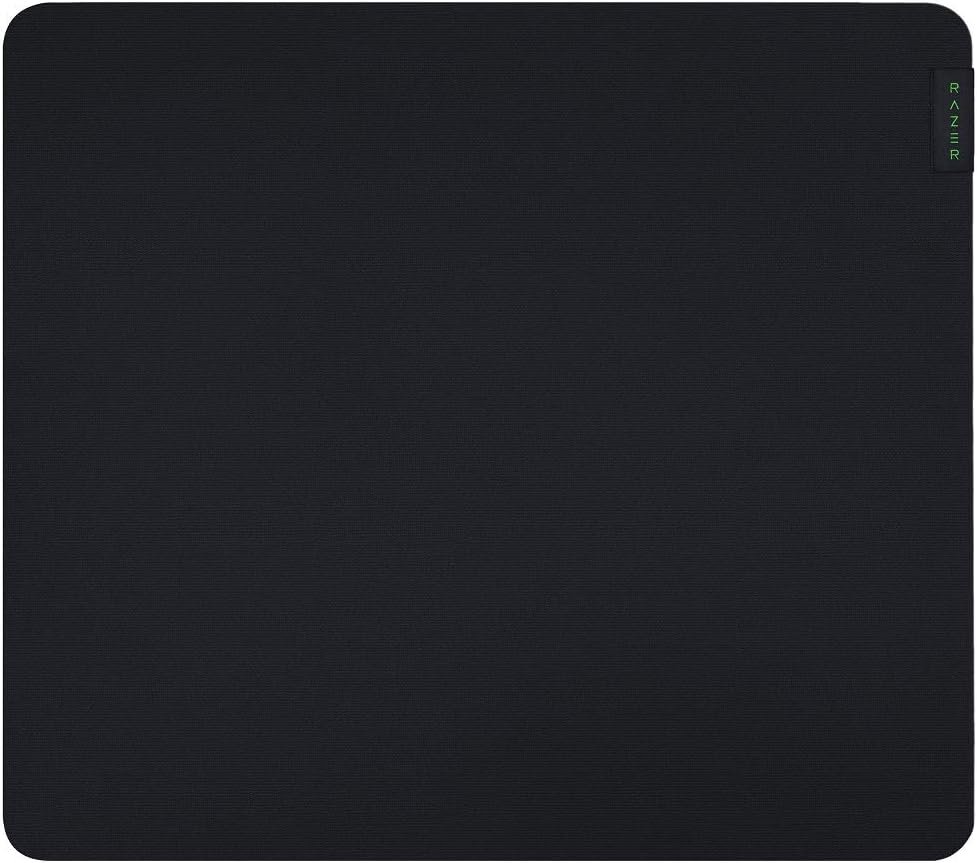
OPTION #3 — Best Max-Footprint Mat
Razer Gigantus V2 3XL

Razer Gigantus V2 3XL

Model: Gigantus V2 3XL | 1200x550x4mm | Available on Amazon.sa and Razer KSA

★★★★½ 4.4/5 (Our Rating)

Ya salam — 1200x550mm is an absolute desk-covering unit. Unless your FlexiSpot or Uplift desk is 160cm+ wide, the Gigantus 3XL will cover essentially the entire usable surface. For a three-monitor setup with a full-size mechanical keyboard, mouse, controller cradle, and a coffee zone, the 3XL is the only mat worth buying — the 900×400 pads leave bare desk on both sides.

Surface is tight-woven with slight texture — splits the difference between SteelSeries cushioned feel and Logitech speed. Razer’s sensor compatibility is universal since most modern optical sensors are trained on multiple textures. The 4mm thickness lands middle-ground too; keyboard audio is better absorbed than the G840 but not as dampened as the QcK. The subtle Razer logo in the bottom-right corner is tasteful — not the loud RGB monster you might fear.

Catch: shipping a 1200×550 rolled tube through Amazon.sa is logistically real. Some buyers receive the mat creased near the center, which takes 48-72 hours under heavy books (weighty Arabic dictionaries work well) to flatten. Edge stitching is present but less robust than SteelSeries — about 20-24 months of heavy use before fraying. And at SAR 199, this is actually the cheapest mat per square meter in our lineup.

✓ Pros
  • Largest mat — 1200x550mm
  • Best SAR per square meter
  • Subtle Razer branding
  • Universal sensor compatibility
  • 4mm middle-ground thickness
✗ Cons
  • Sometimes ships creased
  • Takes 48-72h to flatten
  • Edge stitching less robust
  • 1-year warranty only
Price (KSA) SAR 199
Dimensions 1200x550x4 mm
Surface Tight-weave textured cloth
Base Rubber, medium grip
Warranty 1 year via Razer KSA

Right for you if: Your desk is 140cm+ wide, you run multiple monitors, and you want full-coverage without two mats butting awkwardly. Or you want the best sq-m value at SAR 199.

SAR 199 on Amazon.sa

Check Price on Amazon →

The Hidden Costs Nobody Warns Saudi Gamers About

A desk mat is SAR 199-299 sticker. Here’s what the real budget looks like over 3 years.

  • Dust and pet hair lint rollers — Saudi HVAC kicks dust onto cloth mats weekly. A Tesco or Jarir lint roller is SAR 15-25 but you’ll burn through one per year.
  • Anti-static spray — Dry winter air in Riyadh creates static that gunks up a cloth mat. Static Guard spray is SAR 30-50 from Amazon.sa, lasts a year.
  • Replacement every 2-3 years — Even premium mats wear out. Budget SAR 250 every 30 months — real annual cost ~SAR 85-100.
  • Second smaller mouse pad for travel — Full-desk mats don’t move with you. A SteelSeries QcK Small (SAR 59) for the laptop bag is worth adding.
  • Mat cleaning mild detergent — Dove bar soap works fine for hand-wash every 6 months. Negligible cost but plan for it.

Real all-in 3-year cost: SAR 320-450. Still the cheapest major upgrade on a gaming setup.

So Which One Should YOU Buy?

Choose SteelSeries QcK Heavy XXL if you…

  • 🎮 Want a safe, durable 3+ year mat
  • 🎮 Like thicker cushion for mech keyboard
  • 🎮 Value the 3-year warranty
  • 🎮 Play a mix of genres
  • 🎮 Want the no-regrets pick

Choose Logitech G840 XL if you…

  • 🎮 Own a Logitech G-series mouse
  • 🎮 Play competitive FPS seriously
  • 🎮 Prefer speed over cushion
  • 🎮 Don’t mind edge wear after 14-18 months
  • 🎮 Need the pro-matched pairing

Three-monitor setup or need max footprint? Razer Gigantus V2 3XL at 1200x550mm is the largest KSA-shipping mat.

Things Saudi Gamers Should Know Before Buying

Availability: All three ship via Amazon.sa with 2-4 day delivery. Jarir carries SteelSeries and Logitech mats in-store at Riyadh and Jeddah branches. Razer KSA stocks the Gigantus directly through their regional site with 3-5 day shipping and the warranty attached from day one. noon.sa has all three with occasional flash discounts of 10-15%.

Mada and STC Pay friendliness: Amazon.sa, Jarir Online, noon.sa, and Razer KSA all accept Mada, STC Pay, and Apple Pay. Small purchases (under SAR 300) don’t qualify for Tabby/Tamara installments on most retailers — pay full.

Saudi summer reality: Direct AC draft on a rolled-up mat for first-week storage is fine, but leaving cloth mats in a garage or non-AC storage over Saudi summer months ruins the rubber base — it gets brittle and cracks. Keep mats indoors always. Direct sun through a west-facing window fades cloth color in 3-6 months.

Cleaning routine: Every 4-6 months hand-wash in lukewarm water with mild soap (not detergent). Air dry flat — never tumble dry. Never machine wash; the rubber base separates from the cloth. Hand-wash takes 20 minutes total; dry time is 8-12 hours overnight.

Resale value: Used gaming mats resell for 20-30% of retail on Haraj or Facebook Marketplace — they’re perceived as personal hygiene items, which limits the secondhand market. Plan to keep until replacement; don’t expect resale value.

Frequently Asked Questions

Is a cloth mat better than a hard (plastic/glass) mat for Saudi heat?

Yes. Hard mats get cold-condensation ring marks in Saudi summer from cold drinks, and they’re louder under mechanical keyboards. Cloth mats absorb sweat, dampen noise, and handle the typical Saudi ambient conditions much better.

Do these work with any modern mouse sensor?

Yes. All modern optical sensors (Razer Focus Pro, Logitech HERO, PixArt PMW3389 and successors) work flawlessly on woven cloth. Older laser sensors from 2015 and before may have minor tracking quirks, but you’re unlikely to be using one.

How do I flatten a mat that arrived creased?

Lay flat on desk, place heavy books on the creased sections (Arabic dictionaries or IKEA catalogs work well), leave 48-72 hours. Never iron or heat — it melts the rubber base. Patience fixes 95% of shipping creases.

Are the RGB variants worth the extra SAR 200?

For most gamers, no. RGB mats (Razer Firefly V2 Pro, SteelSeries QcK Prism) add USB cable routing complexity, get flaky after a year, and the aesthetic payoff is minor vs a Govee strip around the monitor. Save the money.

Can I use a gaming mat at a standing desk?

Yes. All three have rubber bases that grip FlexiSpot, Uplift, and Eureka standing desk surfaces. For sit-stand cycling, the Gigantus 3XL at 1200mm fits best across the transition — narrower mats can lift awkwardly during height changes.

As an Amazon Associate, Kazazone earns from qualifying purchases. When you buy through our links, we may earn a small commission at no extra cost to you. This helps us keep creating honest, independent reviews for Saudi gamers.


Share this article

Found this useful? Pass it on to someone who's shopping.

Related Reviews