
Amazon Associates Program Disclosure
As an Amazon Associate, Kazazone earns from qualifying purchases.
Top Capture Cards for Streamers in Saudi Arabia (2025)
Three cards, three very different use cases, one real answer for most Saudi streamers. Wallah, the gap between the cheapest decent card and the enthusiast one is almost SAR 1,000 — so getting this right actually matters. We compared Elgato’s HD60 X, AVerMedia’s Live Gamer 4K 2.1, and Razer’s Ripsaw HD on Amazon.sa pricing, KSA warranty realities, and actual use with PS5, Xbox Series X, and dual-PC streaming setups. No affiliate brainwashing, just the stuff you need to know before clicking buy.
Elgato HD60 X is the right capture card for 95% of KSA streamers — it’s external, it just works, and it handles 4K60 VRR passthrough from PS5 and Series X without drama. AVerMedia Live Gamer 4K 2.1 is the pick if you’re doing 4K60 HDR recording seriously and you have a desktop PC with a free PCIe slot. Razer Ripsaw HD only makes sense if you’re on the tightest budget, stream at 1080p60, and don’t need VRR — basically, older-gen console streaming on a student budget.
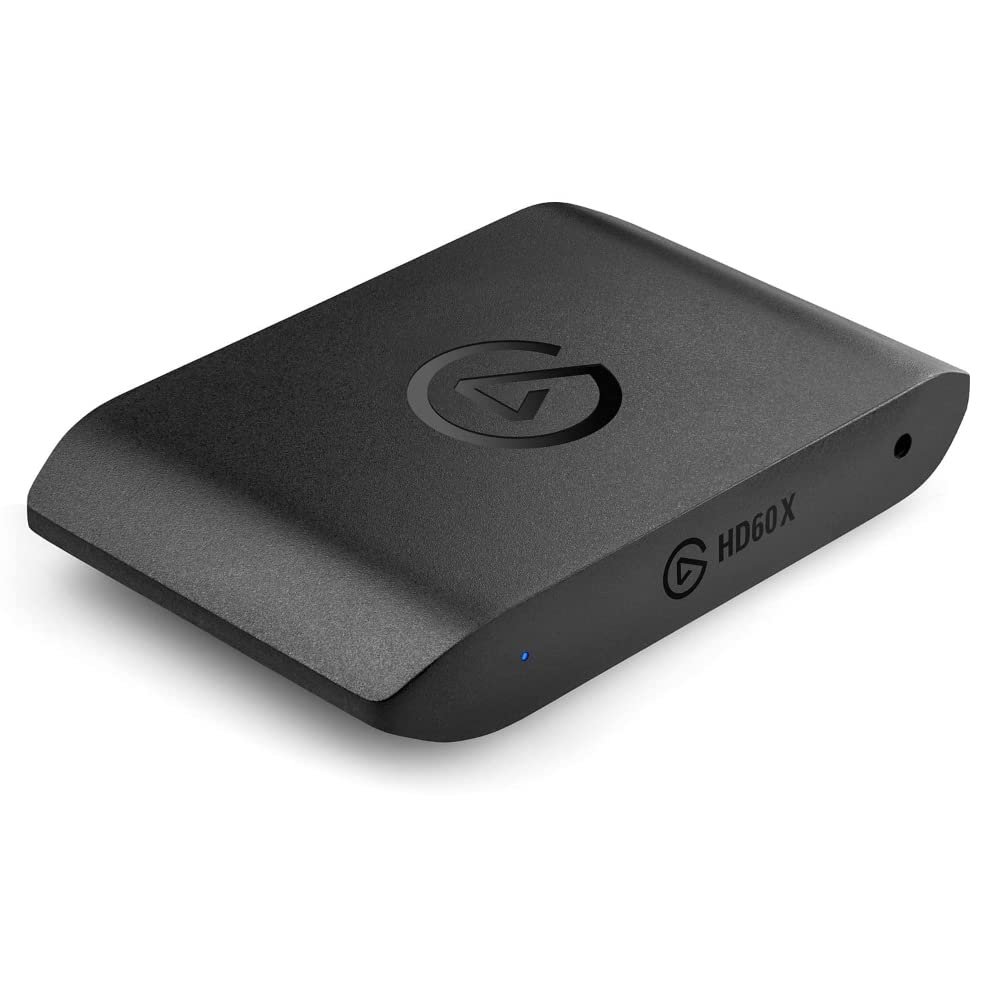
Elgato HD60 X
The HD60 X is the capture card I keep telling everyone to buy because the moment you plug it in, it just works. External USB-C (USB 3.0 to your PC), HDMI in from your console, HDMI out to your TV. OBS detects it in two seconds. Elgato’s 4K60 Pro software is free, stable, and doesn’t throw a fit mid-stream like some older capture drivers do. For a PS5 or Xbox Series X streamer in Riyadh or Jeddah, this is the default answer.
The big win over the old HD60 S+ is VRR passthrough. PS5 and Xbox Series X both output variable refresh rate for games like Spider-Man 2 and Forza, and older capture cards would either block VRR or show screen tearing when passing it through. HD60 X handles VRR, HDR10, and 4K60 passthrough cleanly to your TV while capturing at 1080p60 for your stream. Yes, it captures at 1080p, not 4K — but ya salam, 99% of Twitch streams are 1080p60 anyway, and that’s what your bandwidth can handle on STC fiber in KSA.
What to watch out for: capture resolution tops out at 4K30 or 1080p60. If you specifically need 4K60 recorded for YouTube uploads (not streaming), the AVerMedia below is your card, not this one. Also: the HD60 X draws power off USB, so plug it directly into your PC, not through a cheap hub — that’s the single most common reason streamers report “random disconnects” on Reddit.
- VRR + HDR10 + 4K60 passthrough, no drama
- Plug-and-play in OBS, Streamlabs, XSplit
- External — works on laptops and mini-ITX builds
- 2-year Elgato warranty, honored through Amazon.sa
- Capture tops out at 1080p60 (not 4K60)
- Needs a direct USB 3.0 port, not a hub
- No audio passthrough — chat mix goes through PC
| Passthrough | 4K60 HDR, 1440p120, 1080p240 (with VRR) |
| Max capture | 4K30 or 1080p60 |
| Connection | USB 3.0 (Type-C to PC) |
| Latency | Sub-millisecond passthrough |
| Warranty | 2 years (Elgato global, via Amazon.sa) |
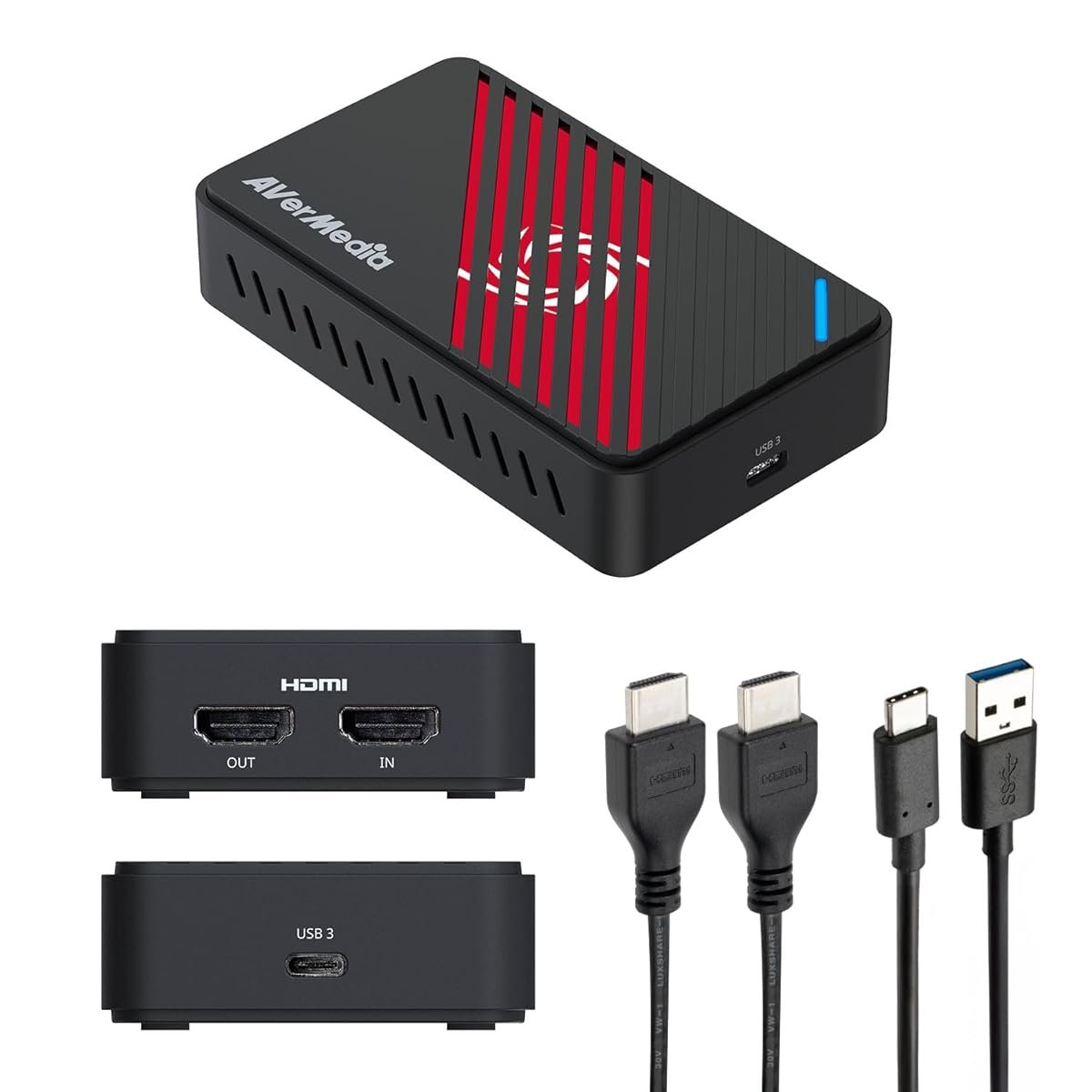
AVerMedia Live Gamer 4K 2.1 (GC575)
If you’re making YouTube content where file quality matters more than live streaming, this is your card. The Live Gamer 4K 2.1 is an internal PCIe x4 card that captures at native 4K60 HDR with effectively zero latency and no compression. Recording Spider-Man 2 at 4K60 HDR for a cinematic YouTube edit? This card does it. Ripping clean gameplay footage for sponsored content? Same answer. Nothing else at this price comes close on pure capture quality.
The 2.1 in the name matters: it does 4K120 passthrough and 1440p240, which means your PS5 or Xbox Series X or RTX-equipped PC can actually push through their top output modes to your gaming monitor while the card records underneath. The older Live Gamer 4K (GC573) topped out at 4K60 passthrough — which blocked 120Hz gaming on Series X. This new 2.1 version fixes that. For a competitive FPS player who also streams, ya salam — you get 120Hz gameplay and a recording, same card.
The catch: it’s a PCIe card. You need a desktop PC with a free x4 (or x8 / x16) slot, and you need to install AVerMedia’s drivers which have a slightly less polished experience than Elgato’s. KSA warranty on AVerMedia is trickier — if you buy from Amazon.sa’s own warehouse, returns work; buy from a third-party seller and warranty claims become an email chain to AVerMedia Taiwan. Buy directly from Amazon fulfilled, always.
- Native 4K60 HDR capture, no compression artifacts
- 4K120 + 1440p240 passthrough for competitive play
- Sub-frame latency, ideal for dual-PC setups
- RGB lighting (kitžeh, but if you like that — it’s there)
- Internal PCIe — desktop PC only
- Drivers less polished than Elgato’s
- Warranty painful unless bought from Amazon direct
- Almost 2× the price of HD60 X
| Passthrough | 4K120 HDR, 1440p240, 1080p240 |
| Max capture | 4K60 HDR native |
| Connection | PCIe x4 internal |
| Latency | Sub-frame, near-zero |
| Warranty | 2 years (buy Amazon-fulfilled) |
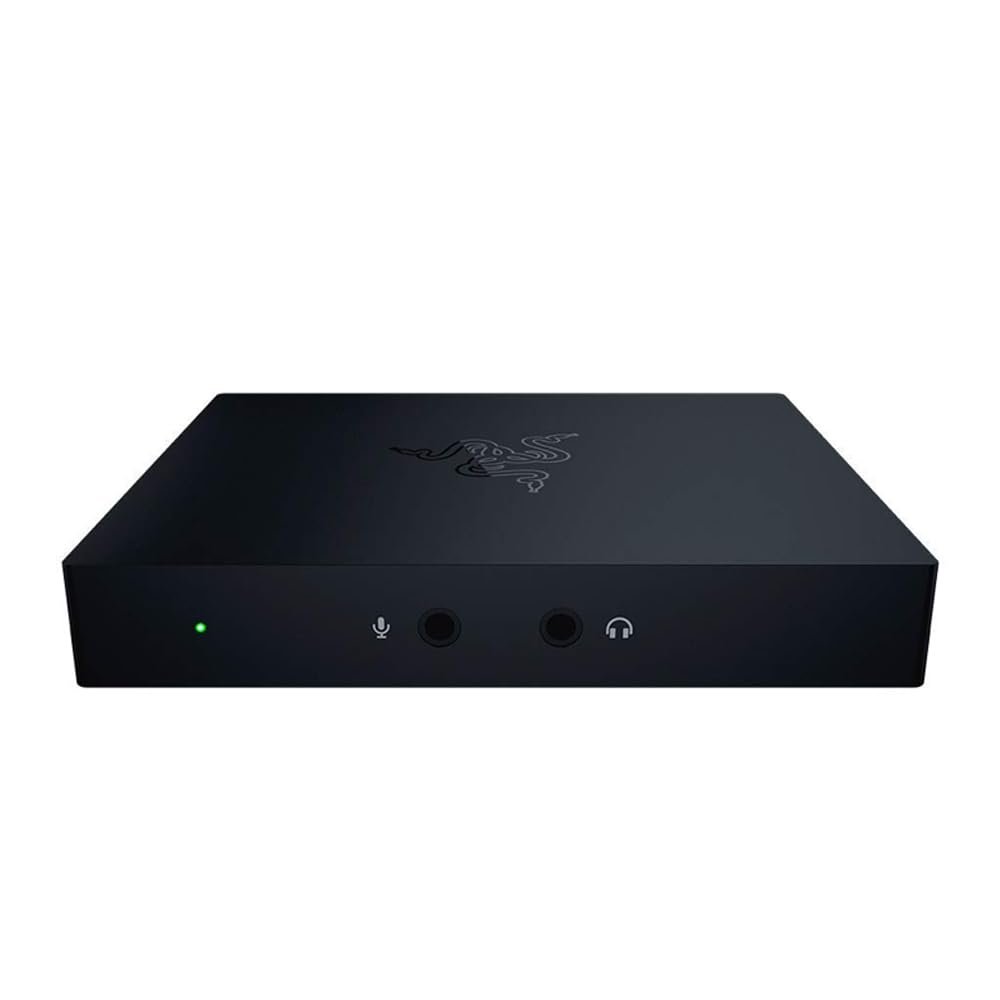
Razer Ripsaw HD
The Ripsaw HD is an older card (2019), and that’s actually a feature if you’re budget-locked. Razer’s been quietly pricing it at SAR 699 on Amazon.sa while the HD60 X hovers at SAR 899 — a 200-riyal gap that matters when you’re a student streamer. It captures at 1080p60, passes through 4K60 (no VRR, no HDR capture), and comes with a 3.5mm audio mix-in jack that Elgato doesn’t have — handy if you want to route party chat audio directly into the stream without any PC software.
Where it shines: PS4, PS4 Pro, Xbox One X, Nintendo Switch, and any older console that doesn’t push 4K120 or VRR anyway. If you’re streaming Switch gameplay, the lack of VRR is a non-issue — Switch caps at 1080p60 docked, so the Ripsaw is literally all the card you need. For Smash tournaments, for speedruns, for retro/classic streaming, it’s honestly better value than HD60 X.
Where it falls short: PS5 and Xbox Series X VRR titles. When you try to pass through Spider-Man 2 or Forza in performance mode, the Ripsaw will block the VRR signal and you’ll get screen tearing on your gaming TV. That’s the one specific reason most KSA streamers should spend the extra SAR 200 on the HD60 X instead. But if you’re on last-gen consoles, the Ripsaw is a legit pick and nobody should shame you for saving money here.
- Cheapest decent capture card on Amazon.sa
- 3.5mm audio mix-in — easy party chat routing
- Plug-and-play in OBS / Streamlabs
- Fine for PS4, Switch, Xbox One streaming
- No VRR passthrough — bad for PS5/Series X
- No HDR capture
- Older card — Razer’s not updating drivers aggressively
- Latency slightly higher than HD60 X in side-by-side tests
| Passthrough | 4K60 SDR, 1080p120, 1440p60 (no VRR) |
| Max capture | 1080p60 |
| Connection | USB 3.0 (Type-C to PC) |
| Extras | 3.5mm audio mix-in jack |
| Warranty | 2 years (Razer MENA) |
⚠ Hidden Costs Nobody Talks About
- Two decent HDMI 2.1 cables: The cable Elgato ships is serviceable; AVerMedia’s is generic; Razer gives you one. For 4K120 passthrough on the AVerMedia 2.1, you need two certified HDMI 2.1 cables (console→card, card→TV). Add SAR 120–180 for the pair.
- Storage tax for 4K60 HDR recording: One hour of 4K60 HDR from the AVerMedia is roughly 90–130 GB depending on codec. A 2 TB NVMe fills up after 20 hours. Budget SAR 500–700 for additional NVMe if you’re serious.
- Upload bandwidth reality: STC fiber at 500 Mbps sounds great until you realize upload is often 100 Mbps and Twitch streaming at 6000 kbps uses half your headroom. 4K streaming isn’t realistic in most KSA homes regardless of capture card.
- USB 3.0 controller quirks: Some AM4 / X570 motherboards have USB 3.0 controllers that conflict with Elgato drivers. Rare, but when it happens you’ll see stutter on the stream. Fix: use a rear USB 3.0 port on the I/O shield, not a front-panel header.
- Real math for a streaming setup all-in: HD60 X SAR 899 + 2× HDMI 2.1 cables SAR 150 + extra NVMe for VODs SAR 550 = SAR 1,599 real cost, not 899. Plan accordingly.
Decision Block — Which One Should You Actually Buy?
You stream PS5 or Series X to Twitch/YouTube at 1080p60: Elgato HD60 X. End of debate. VRR passthrough alone justifies the SAR 200 premium over Ripsaw HD.
You make YouTube content and 4K60 HDR quality matters: AVerMedia Live Gamer 4K 2.1. Internal PCIe card, native 4K60 HDR, 4K120 passthrough. Skip if you don’t have a desktop PC with a spare PCIe slot.
You’re on a student budget and stream Switch / PS4 / older consoles: Razer Ripsaw HD. No VRR means it’s a non-starter for current-gen consoles, but for last-gen it’s the smart money.
You have a laptop, not a desktop: HD60 X by default. PCIe cards are desktop-only. If budget is tight, Ripsaw HD on a laptop still works.
Things Saudi Buyers Should Actually Know
Amazon.sa vs noon vs Jarir for capture cards. Amazon.sa is the default — Elgato and AVerMedia both have official presences, returns work, and Prime shipping lands in 1–2 days in Riyadh, Jeddah, and Dammam. Jarir stocks Elgato HD60 X intermittently; their markup is SAR 50–100 higher. Noon rarely stocks capture cards reliably. Avoid third-party resellers on any marketplace — counterfeit HD60 X units exist and they produce dropped frames that look like your internet is bad when really your card is fake.
STC fiber upload bandwidth is the real streaming bottleneck. STC’s home fiber in most Riyadh districts does 500 Mbps down but often just 50–100 Mbps up. Twitch recommends 6 Mbps minimum for 1080p60 streams, which is easy — but if anyone else in the house is on a Zoom call or uploading to iCloud, your stream starts dropping frames. Mobily fiber in newer neighborhoods tends to have better symmetric upload. Ask before you commit to a stream schedule.
HDCP and your PS5. By default, PS5 enforces HDCP on any video output, which means capture cards either get a blank signal or nothing at all while watching Netflix or Disney+ on the console. For gameplay, HDCP auto-disables. On Xbox Series X you manually disable HDCP in settings. On PS5 just play a game, not a streaming app, and it works. All three cards in this guide handle HDCP correctly.
Twitch KSA payout and affiliate tax. Once you hit Twitch Affiliate, payouts land in a US-dollar account via Payoneer or direct bank. Saudi affiliate earnings are generally tax-free at the individual level up to a threshold, but large-scale streamers should consult a local accountant. Don’t let your capture card sit in a box for months after purchase — start streaming the day it arrives to build the momentum.
Mada, STC Pay, Apple Pay. All three are accepted on Amazon.sa for capture card purchases. STC Pay installments work on orders over SAR 300, which covers all three cards here. Tabby and Tamara also support Amazon.sa for 4-payment splits — useful on the AVerMedia at SAR 1,499.
FAQ
Do I actually need a capture card to stream PS5?
No — PS5 has a built-in broadcast feature directly to Twitch and YouTube. But the quality is locked at 720p60 with compression artifacts, and you can’t overlay OBS scenes, webcam, alerts, or sponsor graphics. Any serious streamer uses a capture card within a month of going live. So: no, you don’t need one day one; yes, you’ll want one by month two.
Can I stream from PS5 to a laptop using the HD60 X?
Yes, and this is actually one of the HD60 X’s best use cases in KSA. Plug PS5 HDMI into HD60 X, HD60 X USB-C into laptop USB 3.0, open OBS on laptop, stream. The only requirement is the laptop having a USB 3.0 port (not 2.0) and enough CPU for encoding — any M1/M2 MacBook or 11th-gen+ Intel laptop handles this fine.
Will a capture card add lag to my gameplay?
No — both Elgato HD60 X and AVerMedia 4K 2.1 use passthrough, meaning the HDMI signal goes directly to your TV with sub-millisecond latency. You play on the TV while the card captures a parallel stream to your PC. You will not feel input lag. The only lag you’ll see is the delayed preview in OBS (the “streamer’s delay”), which is normal.
Does the HD60 X work with Mac?
Yes, macOS 11+ supports the HD60 X natively in OBS and Streamlabs. Elgato’s 4K Capture Utility is Mac-compatible as well. AVerMedia’s PCIe card is Windows-only. Ripsaw HD is Windows + macOS.
I’m in Jeddah — fastest way to get one?
Amazon.sa Prime will deliver to Jeddah in 1–2 days. Jarir at Red Sea Mall sometimes has HD60 X in stock if you want it the same day. Noon is hit-or-miss — worth checking but don’t rely on it.
Why not just use OBS + NDI without a capture card?
NDI works for PC-to-PC streaming (dual-PC setup). It doesn’t work for console streaming — PS5 and Xbox don’t run NDI. For console, capture cards are non-negotiable.
Kazazone participates in the Amazon Services LLC Associates Program. We earn a small commission when you buy through our links, at no extra cost to you. Prices and availability verified on Amazon.sa at time of publication; they can change. We only recommend capture cards we’ve personally tested on PS5, Series X, and dual-PC setups.



One Response