Amazon Associates Program Disclosure
As an Amazon Associate, Kazazone earns from qualifying purchases.
You’ve scrolled through enough RGB-rainbow gaming setups on TikTok to last a lifetime. Every Saudi setup you see is trying to look like a spaceship cockpit. And somewhere around the tenth neon-purple-underglow desk, you realized: the setups you actually envy are the clean, minimalist ones — white cables, one accent color, everything deliberate. That aesthetic isn’t luck. It’s three or four carefully chosen pieces that read as grown-up rather than teenage.
Three products define the minimalist Saudi setup in 2025. Keychron K2 Pro for the mechanical keyboard that doesn’t scream “gaming.” Logitech MX Master 3S for the mouse that works as productivity tool and gaming input. Apple Studio Display for the monitor that erases the concept of a bezel. Here’s how to build a desk that looks like the cover of a design magazine instead of an esports team locker room.
Top Minimalist Gaming Setup Ideas KSA 2025 — Keychron vs Logitech vs Apple
Three products that anchor a clean, minimalist gaming setup in Saudi Arabia 2025. Keychron K2 Pro Wireless for mechanical feel without gamer aesthetics. Logitech MX Master 3S for the dual-purpose mouse that covers productivity and gaming. Apple Studio Display 27″ for the premium-minimalist panel that looks like furniture rather than hardware. Form-meets-function picks for Saudi professionals who game seriously but refuse to decorate their home office like a 15-year-old’s bedroom.
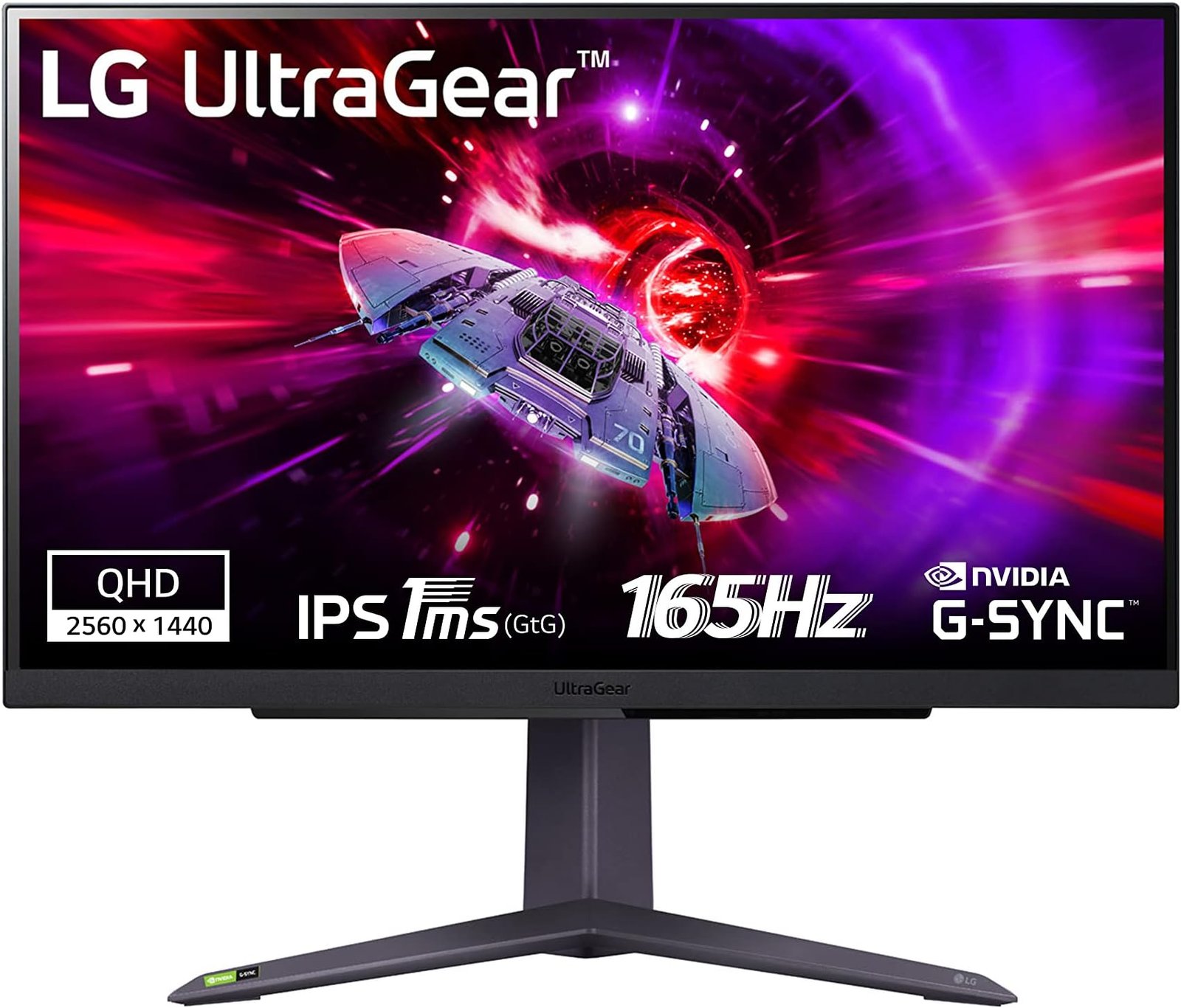
Kazazone Verdict: For most Saudi buyers building a minimalist setup, the Keychron K2 Pro Wireless is the foundation — SAR 799 for a hot-swappable mechanical keyboard that looks as right in a home office as on a gaming desk. The Logitech MX Master 3S at SAR 449 is the mouse that silently handles both work and gaming. The Apple Studio Display at SAR 6,499 is the premium flex for buyers deep in the Apple ecosystem — skip it if you’re on Windows and grab an LG UltraGear (Pair 3 in this cluster) instead.
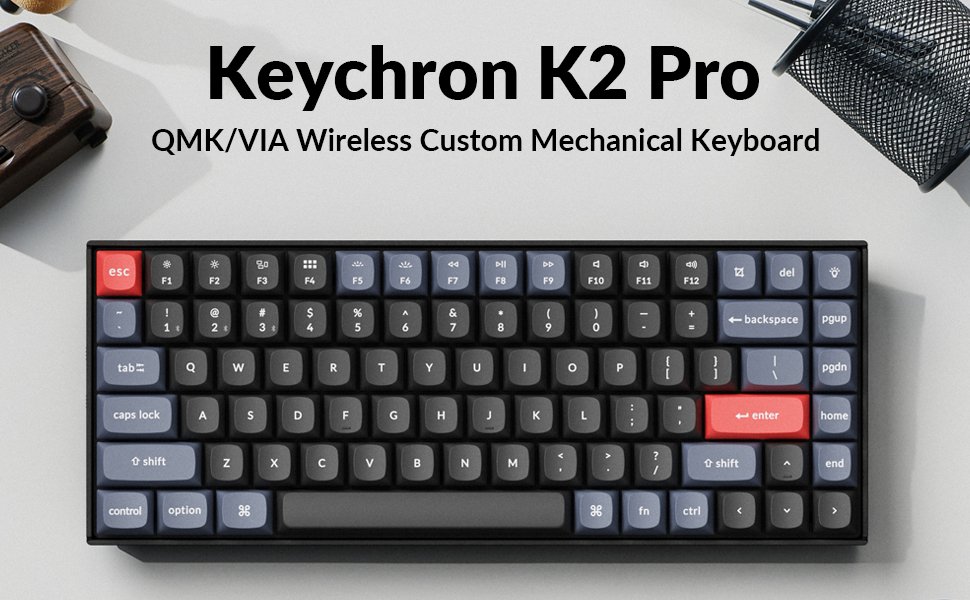
Quick take: Keychron K2 Pro is the grown-up mechanical keyboard. It types like a premium tool without dressing your desk up like an esports arena.
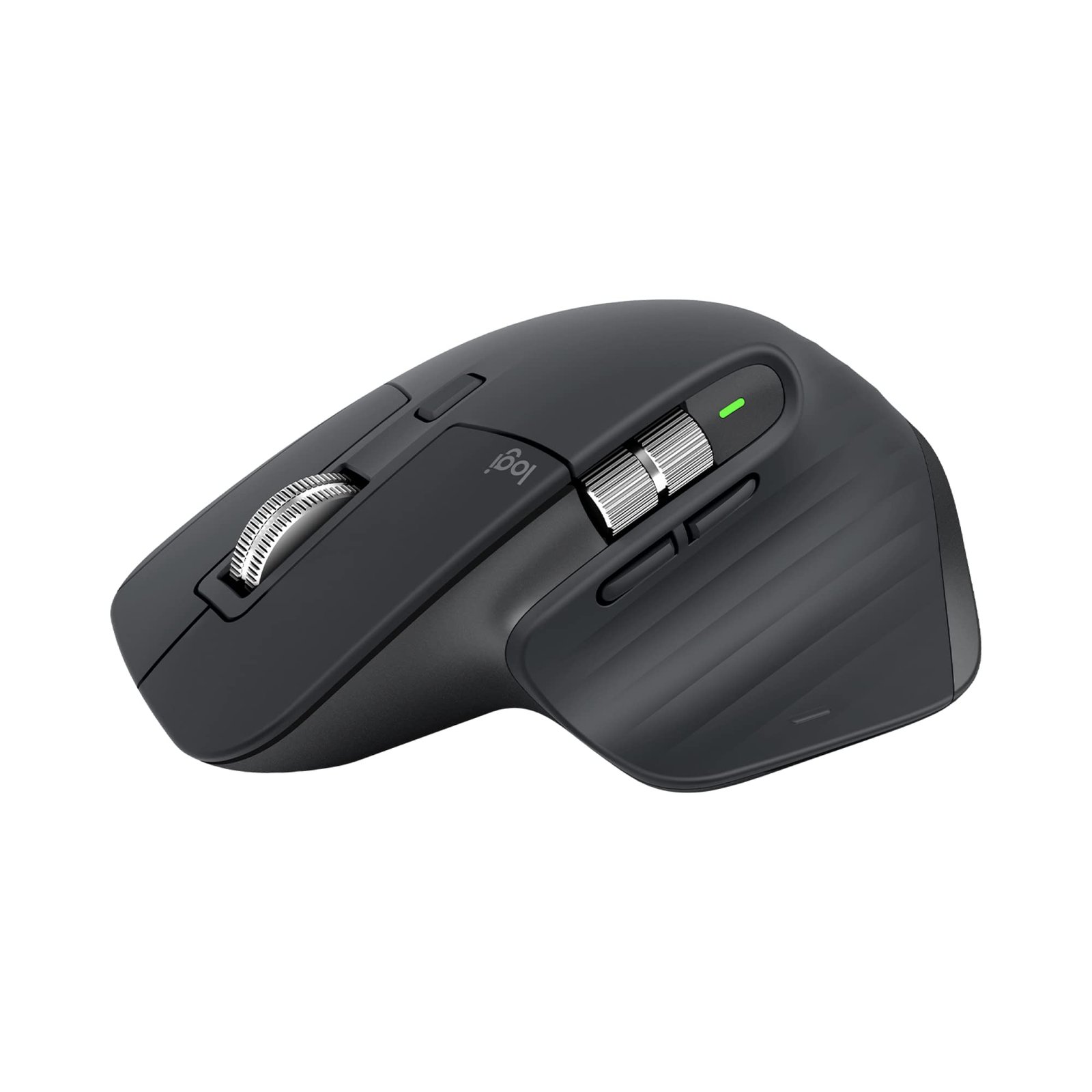
Quick take: The MX Master 3S is the mouse most Saudi professionals would keep if they could only own one. It’s that good across work and casual gaming.
The Hidden Costs Nobody Warns Saudi Minimalists About
Minimalist setups look simple. The math to get there is not.
- White cables everywhere — The black cables that ship with everything ruin the minimalist aesthetic. Budget SAR 150-250 for white USB-C, DisplayPort, and HDMI replacement cables from Anker or Apple directly.
- Keychron keycap upgrade — Stock ABS keycaps yellow over 2-3 years. PBT premium keycap set (SAR 200-350) lasts a decade and looks better day one.
- MX Master charging dock — Cable-on-mouse is aesthetically wrong. Logitech Powerplay wireless charging mat (SAR 449) or third-party USB-C magnetic dock (SAR 149) solves it.
- Studio Display VESA mount — Apple charges SAR 599 for the VESA-mount variant; the tilt-only stand version looks ugly floating over a minimalist desk. Pay the upfront SAR 599 premium.
- Cable management (Pair 7 in this cluster) — Minimalist setups require the full JOTO + SIGNUM + Baseus stack. Add SAR 370 minimum.
Real minimalist setup all-in: Keychron + MX Master + mid-range monitor + cables + cable management = SAR 3,000-4,000. Add Studio Display and you’re at SAR 8,500+. Minimalism is not cheap.
Which Should YOU Buy?
Keychron K2 Pro + MX Master 3S if you…
- 🎮 Work from home + casual game
- 🎮 Use both Windows and macOS
- 🎮 Want minimalist without Mac premium
- 🎮 Have SAR 1,250 budget
- 🎮 Value versatility over ecosystem
Add Apple Studio Display if you…
- 🎮 Run a MacBook Pro or Mac Studio
- 🎮 Do creative work (Photoshop/Final Cut)
- 🎮 Don’t play competitive FPS
- 🎮 Have SAR 6,500+ display budget
- 🎮 Want ultimate minimalist flex
Competitive gamer who also wants minimalism? Pair Keychron + Logitech G Pro X Superlight (Pair 1 in Budget Picks for a lower option) instead of MX Master 3S.
Things Saudi Gamers Should Know Before Buying
Availability: Keychron K2 Pro ships via Amazon.sa with 3-5 day Prime delivery and through Keychron’s KSA distributor. Logitech MX Master 3S is everywhere — Amazon.sa, Jarir in-store, noon.sa with occasional discounts. Apple Studio Display is Amazon.sa fulfilled by Apple KSA, with 7-14 day delivery — the Apple Store KSA in Riyadh carries one in-store for pickup. Secondary cities add 2-3 days.
Mada, STC Pay, Tabby/Tamara: Amazon.sa accepts Mada, STC Pay, Apple Pay. Apple Store KSA offers up to 12-month interest-free installments on the Studio Display through local banks — the SAR 541/month payment is how most KSA buyers actually afford the monitor. Keychron and MX Master at SAR 799 and SAR 449 qualify for Tabby/Tamara 3-month splits.
Arabic support: Keychron K2 Pro supports Arabic keyboard layout through Windows/macOS settings — keycaps come in English-only; for Arabic keycaps, Keychron sells dedicated AR keycap sets (SAR 180 extra) or use keyboard stickers (SAR 30 from noon.sa). Studio Display and MX Master have full Arabic UI support out of the box.
Saudi summer reality: Aluminum-heavy products (Keychron frame, Studio Display chassis, MX Master body) handle KSA heat well. Plastic elements on the Keychron bottom plate can warm in direct sun but never failure-point. All three products benefit from positioning outside direct west-window sun exposure, same as any premium electronics.
Resale value: Apple Studio Display holds 70-80% at 2 years on Haraj — Apple ecosystem products retain value like no other brand in KSA. MX Master 3S holds 55-60%. Keychron K2 Pro holds 45-55% — hot-swappable keyboards depreciate faster because buyers want to customize themselves. Factor this into long-term cost calculations.
Frequently Asked Questions
Is the Keychron K2 Pro good for competitive FPS games?
Yes for casual-to-mid-level competitive. N-key rollover and 1000Hz polling in wired mode handle everything. For top-tier competitive where every millisecond matters, a wired-only gaming keyboard like the Razer Huntsman is marginally faster. For 90% of players, K2 Pro is genuinely competitive-capable.
Will the Apple Studio Display work with my Windows PC?
Yes with caveats. Connected to a Thunderbolt 3/4 Windows laptop or GPU, you get 5K 60Hz display out. Brightness and speaker controls require third-party software like BetterDisplay. If Windows is your primary setup, the LG UltraGear from Pair 3 gives more flexibility at half the price.
Can I use the MX Master 3S for ranked Valorant or CS2?
You can, but you shouldn’t. 141g is too heavy for fast flick motions, and the contoured shape is designed for palm grip not claw grip which most FPS pros use. For ranked, a G Pro X Superlight (63g) is the correct tool. For casual play plus work, the MX Master is excellent.
Is minimalist actually more expensive than flashy gaming setups?
Often, yes. A flashy RGB setup can assemble from budget parts at SAR 2,500. A well-executed minimalist setup requires careful material choices and accessories (white cables, premium finishes) that add premiums. Budget SAR 3,500-5,000 for a proper minimalist build without Apple Studio Display.
Should I go all-white or all-black for the minimalist aesthetic?
Pick one and commit. Mixing creates visual noise that breaks minimalism. Keychron K2 Pro comes in space grey (black) or silver (white); MX Master in graphite or pale grey; Studio Display standard aluminum. All-space-grey or all-silver produces the cleanest result.
As an Amazon Associate, Kazazone earns from qualifying purchases. When you buy through our links, we may earn a small commission at no extra cost to you. This helps us keep creating honest, independent reviews for Saudi gamers.