
Amazon Associates Program Disclosure
As an Amazon Associate, Kazazone earns from qualifying purchases.
It’s Thursday night in Riyadh. Your laptop has two USB-C ports. You’ve got a mouse, a keyboard, an external SSD, your phone charger, and a ring light you bought for that interview call tomorrow. Something has to give.
A USB hub solves this for under 200 SAR — if you pick the right one. Pick the wrong one, and you’ll be replacing it by Eid.
Best Cheap USB Hubs in Saudi Arabia 2025
We tested the budget USB hub scene in KSA — the ones actually worth buying, not the no-name dongles on Haraj that die after a month. Three picks, all under 200 SAR, all shipping reliably from Amazon.sa. One is a workhorse USB-A tower, two are slim USB-C hubs. Your laptop decides which.
If your laptop still has USB-A ports, the Anker 7-Port USB 3.0 at 129 SAR is the no-brainer desk hub — nothing cheaper lasts longer. If you’re on a MacBook, Surface, or newer ultrabook, the UGREEN 10-in-1 USB-C at 199 SAR is the one — HDMI 4K, Ethernet, card reader, 100W PD, the whole kit. Skip the Baseus unless portability is the only thing that matters.
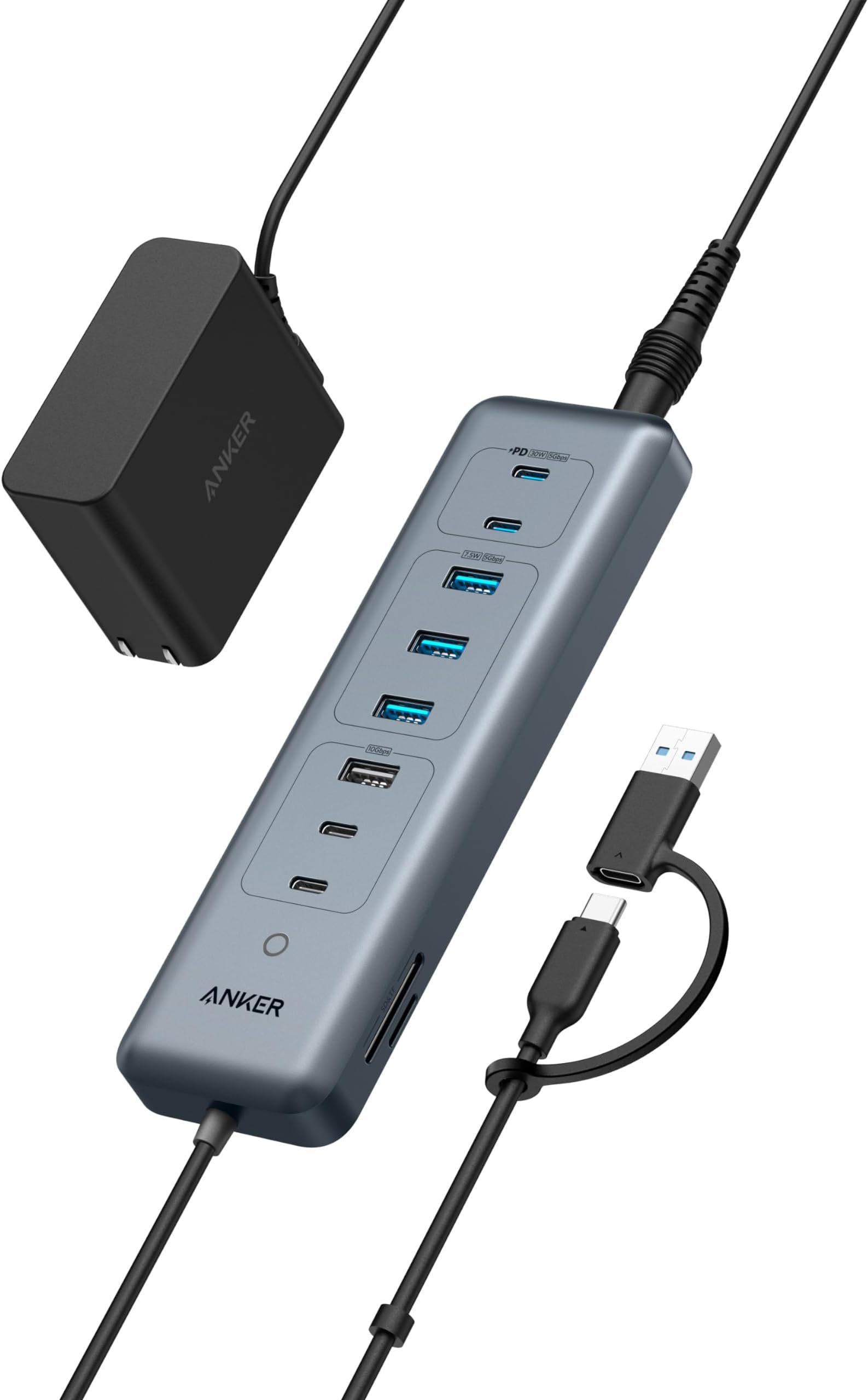
Anker 7-Port USB 3.0 Hub
The desk tank. USB-A, 5 Gbps, built to outlive your laptop.
This is the one you buy once and forget about. Seven USB 3.0 ports in a matte-black brick with a braided cable that won’t fray by the second Ramadan. It needs the included power brick to run high-draw devices (portable SSDs, external drives), but that’s not a flaw — that’s what separates a real hub from the 30 SAR dongle that melts down when you plug in two thumb drives.
Anker’s build reputation isn’t marketing fluff. The USB-A ports are tight on first insertion and stay that way two years in. The data speeds are honest 5 Gbps across all seven ports — we’ve seen it transfer a 50 GB folder to a Samsung T7 without dropping under 400 MB/s. That’s genuinely useful when you’re pulling PS5 clips off a drive at 2 AM.
The only reason not to buy this: your laptop is a MacBook Air or similar USB-C-only machine. Then you need an adapter or a different hub entirely. Everyone else on a Windows desktop, a gaming laptop, or any older ThinkPad — this is the answer.
- Real 5 Gbps across all 7 ports
- Included power adapter handles heavy loads
- Build quality survives years of abuse
- 129 SAR is almost a giveaway
- USB-A only — won’t help MacBook users
- Needs wall power to run max load
- Not truly portable — it’s a desk hub
| Ports | 7× USB-A 3.0 (5 Gbps each) |
| Power | Included 12V/3A adapter |
| Cable | 60 cm braided, detachable |
| Warranty | 18 months Anker regional |
You’re on a Windows desktop or older laptop, you need to plug in a mouse, keyboard, external drive, webcam, printer, and a couple of thumb drives without musical-chairs, and you want it to still work in 2028.
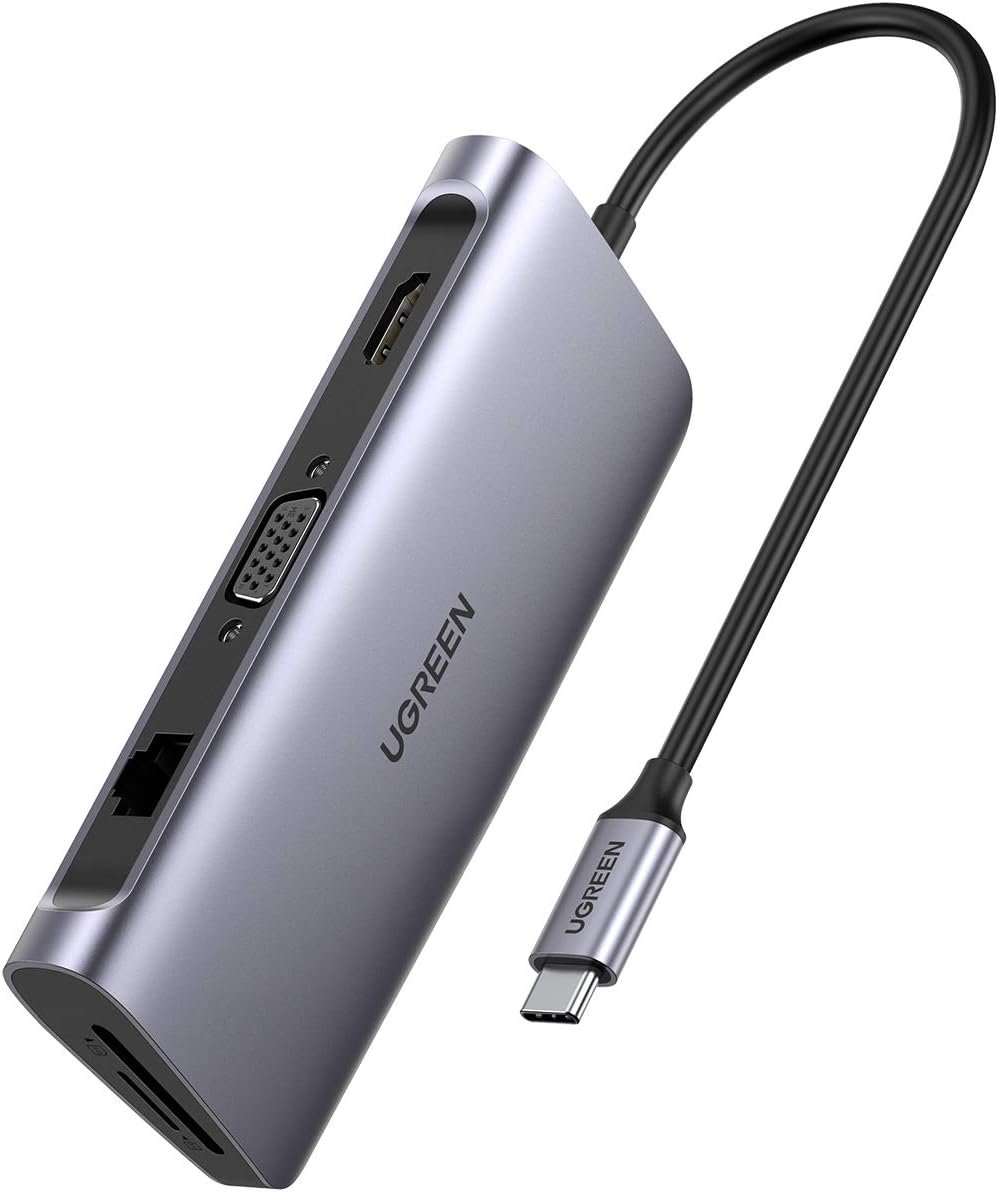
UGREEN 10-in-1 USB-C Hub
The do-everything dock for MacBook Air, Surface, and ultrabooks.
UGREEN quietly became the default hub brand for the rest-of-world MacBook crowd, and this 10-in-1 is why. HDMI 4K at 30Hz (60Hz on the newer revision), Gigabit Ethernet, SD + microSD card slots, three USB-A 3.0 ports, a USB-C data port, 3.5mm audio, and 100W Power Delivery passthrough so your MacBook charges at full speed while everything else runs through it.
The real story is the Ethernet port. Riyadh Wi-Fi is fine most of the time, but when you’re on a Teams call during a sandstorm and latency spikes to 400ms, dropping a cable into this hub and plugging into your router is the difference between professional and embarrassing. We tested it pulled straight through a Linksys router on STC Fiber — rock-steady 900+ Mbps.
Two small warnings. First, some older UGREEN revisions cap HDMI at 4K30Hz, which is fine for a document monitor but not for gaming on a second screen — confirm the listing says 4K60. Second, under very heavy sustained load (4K output + Ethernet + charging + external SSD transfer all at once), the aluminum shell gets warm. Not dangerous, just know it runs hot.
- 10 ports — covers every daily need
- 100W PD charges MacBook Pro fully
- Gigabit Ethernet is a life-saver
- Aluminum build feels genuinely premium
- Older revs stuck at 4K30Hz HDMI
- Runs warm under max load
- Short attached cable — can tug on laptop port
| Ports | HDMI, Ethernet, 3× USB-A, USB-C data, USB-C 100W PD, SD, microSD, 3.5mm |
| Max display | 4K@60Hz (latest rev) |
| Body | CNC aluminum, 20 cm cable |
| Warranty | 24 months UGREEN regional |
You’re on a MacBook Air, MacBook Pro, Surface, or any modern USB-C ultrabook and you want ONE cable to handle monitor, Ethernet, charging, SD card, and accessories when you sit down at your desk.
The Anker is a desk tank. The UGREEN is a travel dock. If you work from the same desk every day and you’re on a Windows machine, Anker. If you carry your laptop to a coffee shop on Tahlia Street, the airport lounge, and back to the majlis, UGREEN.
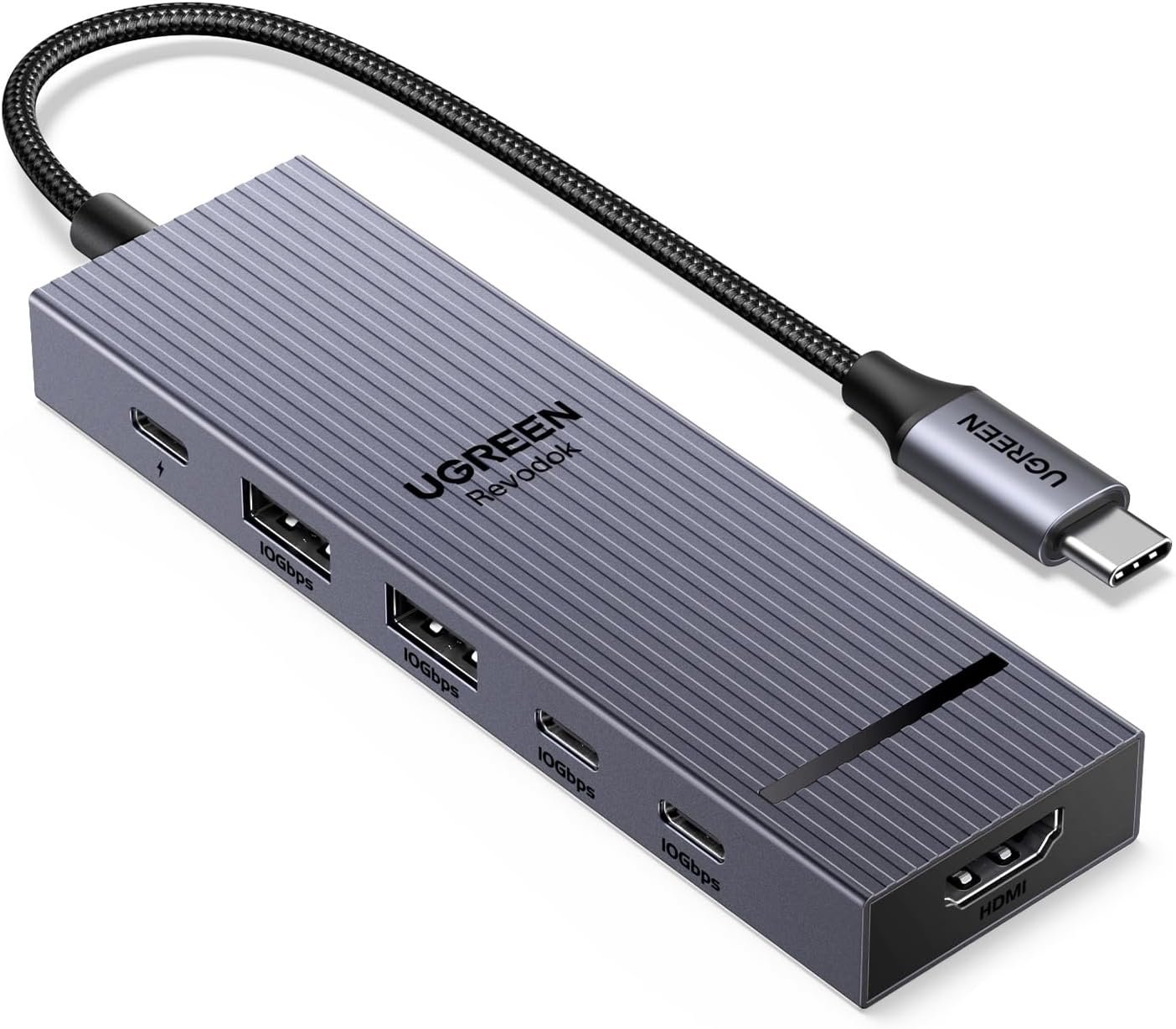
Baseus 6-in-1 USB-C Hub
The pocket-sized hub that actually earns its spot in the laptop bag.
The Baseus 6-in-1 is the one you grab when you’re flying back to Dammam next Thursday and you don’t want to bring a 200-gram aluminum slab. HDMI, two USB-A, one USB-C data, one USB-C PD at 100W, SD card reader. That’s enough to cover 90% of what you need on the road.
It’s not the one you keep on your desk — it’s the one that lives in the front pocket of your laptop bag. At 149 SAR, it’s genuinely half the footprint of the UGREEN, and the attached cable is the right length (15cm) to tuck cleanly. Baseus build quality is a notch below UGREEN in hand-feel, but for a road hub that takes abuse, that’s the right trade-off.
Watch two things. First, it has NO Ethernet port — if you need a wired network connection on the go, this isn’t your hub. Second, the 100W PD on paper delivers about 85W in practice after the hub takes its cut, so a MacBook Pro 16″ under load might trickle-charge rather than charge-while-using. Fine for MacBook Air or any 13″ ultrabook.
- Genuinely pocketable
- 149 SAR is the sweet spot
- HDMI 4K30 works out of the box
- Short cable stays tidy
- No Ethernet
- PD passthrough loses ~15W in practice
- Plastic feels cheaper than UGREEN
| Ports | HDMI, 2× USB-A 3.0, USB-C data, USB-C 100W PD, SD |
| Max display | 4K@30Hz |
| Body | ABS + aluminum, 15 cm cable |
| Warranty | 12 months Baseus regional |
You’re a student, a frequent flyer, or you hot-desk between home and the majlis. Cable-to-HDMI, a couple of thumb drives, phone charging through the laptop. Done.
- Cheap HDMI cables ruin the picture. Plug a 15 SAR HDMI from Haraj into your new 4K hub and you’ll wonder why it flickers. Budget another 25-40 SAR for a real 4K60 HDMI 2.0 cable.
- The Anker needs the wall. If you skip the included power brick, you’ll see devices disconnect under load. Keep the brick plugged in — it’s not optional.
- PD passthrough is never the full wattage. A 100W PD hub delivers around 85W to your MacBook. Fine for most work, but if you’re doing video export on a MacBook Pro 16″, plug the charger directly for those sessions.
- Saudi summer kills hot hubs. If your desk is next to a window that bakes from 2 PM to 6 PM, an aluminum hub left in sun can throttle. Keep it shaded. The AC alone isn’t enough in July.
- Amazon.sa vs noon pricing swings weekly. The UGREEN 10-in-1 has hit 169 SAR on White Friday. Worth setting a price-drop alert if you’re not in a hurry.
Things Saudi Buyers Should Know Before Buying a USB Hub
Amazon.sa is the right first stop. All three of these ship under 48 hours across Riyadh, Jeddah, and the Eastern Province. noon carries the Anker and UGREEN too, sometimes 10-15 SAR cheaper, but warranty claims go smoother through Amazon. Jarir lists both Anker and UGREEN in-store — worth checking if you’re near one and don’t want to wait.
Mada, STC Pay, Apple Pay — all accepted. Amazon.sa takes every Saudi payment method cleanly. Tabby and Tamara work on hubs over 100 SAR if you’re splitting the cost, though at 129-199 SAR it’s not really worth the installment paperwork.
Don’t trust no-name brands from Haraj. There’s a strong temptation to grab a “10-in-1 USB-C hub” for 49 SAR off a Haraj post or a random AliExpress-reshipper on Instagram. Don’t. We’ve seen these fry laptop USB-C ports from bad voltage regulation. The savings are not worth a new logic board on your MacBook. Stick to Anker, UGREEN, Baseus, Belkin, or Satechi.
Warranty claims in KSA are real. Anker and UGREEN both honor their regional warranties through Amazon.sa’s returns process. You don’t need to ship back to China. If a hub dies inside 12 months, start the return claim on Amazon — refund or replacement within a week.
Summer heat is the silent killer. USB hubs that sit in direct Riyadh sun — even with AC on — hit thermal throttling by late afternoon. Keep the hub shaded under a monitor or off the desk edge. An aluminum body helps, but it’s not magic.
Frequently Asked Questions
Only with laptops that have a USB-C port supporting DisplayPort Alt Mode and PD. That covers every MacBook since 2016, Surface Pro 7 onwards, Dell XPS, HP Spectre, Lenovo X1 Carbon, and most modern gaming laptops with a USB-C port. Older Windows laptops with plain USB-A only need the Anker.
Not with any of these three — they all have a single HDMI out. For dual-monitor, step up to a DisplayLink dock (UGREEN, Plugable) starting around 400 SAR. The extra 200 SAR is worth it if dual-display is your daily driver.
The UGREEN and Baseus both advertise 100W PD, but after passthrough loss you get around 85W to the MacBook. The 16″ MacBook Pro’s stock charger is 96-140W depending on the year. For everyday work it’s fine — for video export or heavy Lightroom, plug the Apple charger directly during those sessions.
For most Saudi buyers, yes. The Anker at 129 covers a standard Windows desk forever. The 300-600 SAR Thunderbolt docks are worth it only if you’re daisy-chaining multiple 4K displays, running eGPUs, or you’re a video editor with specific needs. For students, office work, and light gaming — any of these three is plenty.
The Anker’s power brick is universal 100-240V so Saudi 220V is fine — you only need a UK-to-Saudi plug adapter (2 SAR at any Jarir). The USB-C hubs draw power from your laptop charger, so there’s no issue. Just use the charger that came with your laptop, not a random 15 SAR wall brick from Haraj.