
Amazon Associates Program Disclosure
As an Amazon Associate, Kazazone earns from qualifying purchases.
You just upgraded to an RTX 4070. You boot up Cyberpunk 2077, max the settings, fire up your trusty 1080p monitor—and the framerate counter reads 180 FPS. The picture looks fine. But something’s off. Your friend with a 1440p monitor shows you a screenshot from the same scene on his setup, and suddenly your screen looks like it’s running through a window screen. That’s when you realize: the GPU wasn’t the bottleneck. The monitor was.
SAR 500 separates these two monitors. 78% more pixels. One noticeable jump in sharpness, especially past 24 inches. And a genuine question of whether your GPU can actually push enough frames to make the upgrade worth it. Let’s settle this properly—with real KSA prices, real game benchmarks, and an honest answer about when 1080p is genuinely fine.
1080p vs 1440p Gaming Monitor — Is the Upgrade Worth It in KSA? (2025)
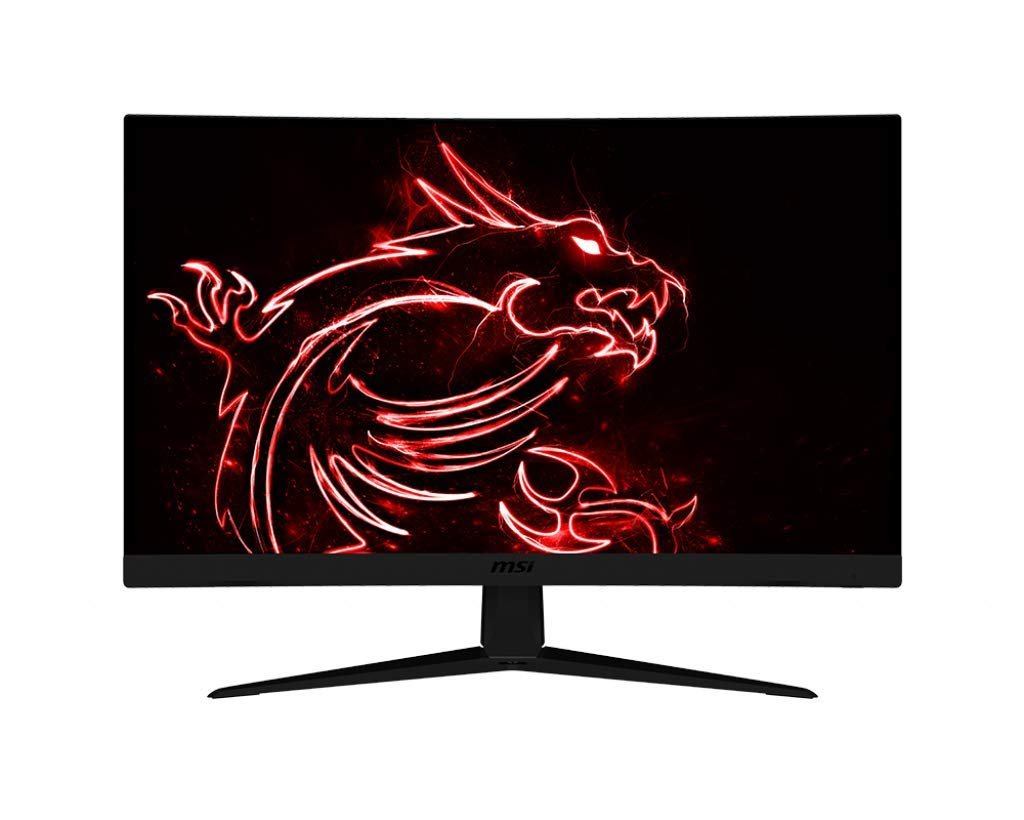
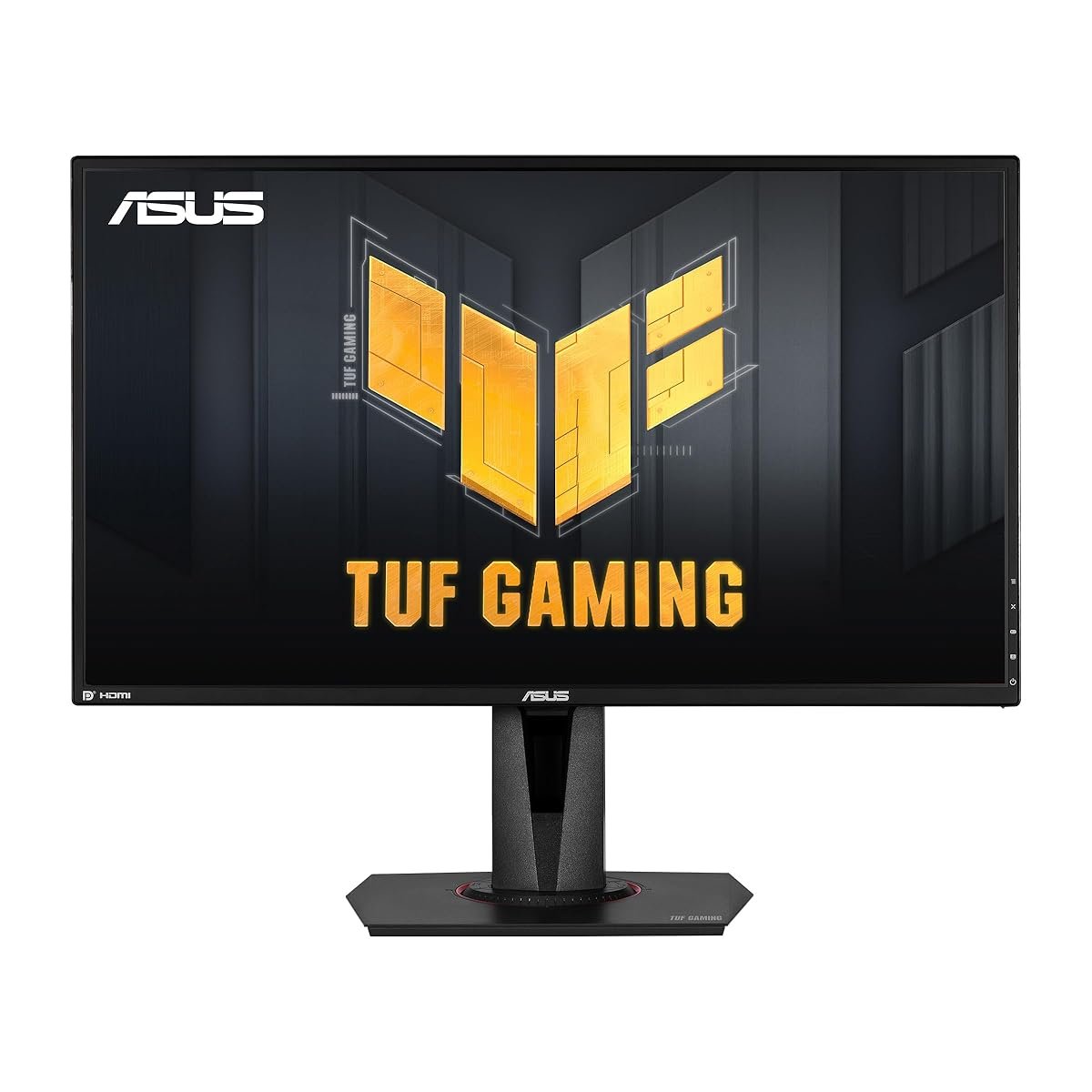
Walk the Jarir gaming aisle and the monitor wall is a maze. 1080p at 165Hz for SAR 799. 1440p at 165Hz for SAR 1,299. Same refresh rate, same 27-inch size, same curved vs flat debate on the shelf next to it. The SAR 500 gap looks huge until you realize a budget 4K monitor is another SAR 800 on top. So where does 1440p actually sit on the value ladder for KSA gamers? We tested both as daily drivers on an RTX 4070 rig, a PS5, and an older GTX 1660 Super build—across Valorant, Warzone, Cyberpunk 2077, and Elden Ring. Here’s when each one genuinely wins.
Kazazone Verdict: If your GPU is an RTX 3070 / RX 6700 XT or better—1440p at 165Hz is the sweet spot in 2025. Full stop. The sharpness is visible in every game, not just esports. If your GPU is below that tier, or you play competitive shooters at 240+ FPS, or your budget is truly capped at SAR 800—a good 1080p 165Hz monitor is still excellent and nothing to apologize for. The worst possible move is pairing a 1440p monitor with a GTX 1660. You’ll drop to 45 FPS and blame the monitor.
Head-to-Head Comparison
| Spec | 1080p (FHD) | 1440p (QHD) |
| Price (KSA, 27″ 165Hz) | SAR 700–900 | SAR 1,100–1,500 |
| Pixel Count | 2.07 million (1920×1080) | 3.69 million (2560×1440) |
| Pixel Density (27″) | 82 PPI (visibly soft) | 109 PPI (sharp) |
| GPU Recommended | GTX 1660 Super or better | RTX 3070 / RX 6700 XT+ |
| Warzone FPS (RTX 4070) | 220–280 FPS | 140–180 FPS |
| Cyberpunk FPS (RTX 4070, Ultra) | 95–110 FPS | 60–75 FPS |
| PS5 Support | ✓ Native 120Hz supported | ✓ Downscales cleanly, full 120Hz |
Quick take: Check your GPU before your monitor. A 1440p panel paired with a weak card means lower frames, higher input lag, and buyer’s remorse. Your monitor choice should follow your GPU, not lead it.
The Hidden Costs Nobody Warns Saudi Gamers About
SAR 799 or SAR 1,299 is the sticker. Here’s the actual cost of a monitor upgrade:
- GPU upgrade pressure — this is the big one. Moving to 1440p with a GTX 1660 Super means you need an RTX 4060 (SAR 1,300+) to actually drive the resolution well. Total upgrade: SAR 2,600, not SAR 1,299.
- A proper DisplayPort cable — the one in the box is often DP 1.2, which caps at 165Hz/1440p. For future-proofing to 240Hz panels later, a DP 1.4 cable is SAR 40–60. Cheap ones from noon sometimes flicker at high refresh rates.
- Monitor arm or better stand — both monitors have basic stands. A solid arm is SAR 150–300 and is genuinely worth it for back/neck health during long sessions.
- Power consumption — 165Hz at 1440p pulls 10–15W more than a 60Hz 1080p. Over a year of daily 4-hour use that’s about SAR 25–40 extra on your STC electricity bill. Negligible but real.
- Windows DPI scaling — at 1440p on 27 inches, text is still readable, but some older games and apps have scaling issues. Budget a weekend to tweak app-specific scaling if you multi-monitor or use legacy software.
Real 3-year math: MSI 1080p setup = SAR 799 + SAR 60 cable + SAR 200 arm = SAR 1,059. ASUS 1440p setup + GPU upgrade from GTX 1660 to RTX 4060 = 1,299 + 1,400 + 60 + 200 = SAR 2,959. If your GPU is already RTX 3070+, the 1440p upgrade math gets much friendlier: just SAR 1,560 total. That’s why GPU-first matters.
So Which One Should YOU Buy?
Choose 1080p (MSI) if you…
- 🎮 Play competitive shooters and chase 200+ FPS
- 🎮 Have a GPU below RTX 3070 or GTX 1660-class
- 🎮 Game from a PS5 (1080p is PS5-native easier)
- 🎮 Have SAR 800 max budget for the monitor alone
- 🎮 Prefer VA for punchier colors in story games
Choose 1440p (ASUS) if you…
- 🎮 Have an RTX 3070 / RX 6700 XT or better
- 🎮 Play AAA single-player games for visual quality
- 🎮 Use the same monitor for work or content creation
- 🎮 Want a future-proof monitor for 5+ years
- 🎮 Value sharp text and UI as much as game visuals
Things Saudi Gamers Should Know Before Buying
Availability in KSA: Both monitors ship quickly from Amazon.sa to Riyadh, Jeddah, and Dammam with next-day or 2-day delivery. Jarir and Extra stock both in-store across major cities if you want to see the panel in person—which for a monitor is genuinely the best way to buy. Differences in color reproduction between units are real and a display sample can save you a return.
Arabic text clarity: This is where 1440p wins hard. Arabic script has more fine strokes and connection points than Latin, and at 82 PPI (1080p on 27 inches), small Arabic text looks soft or slightly blurry. At 109 PPI, it’s crisp. If you read a lot of Arabic news, Twitter, or WhatsApp on your gaming monitor, this is a real daily-use upgrade beyond just gaming.
Saudi summer + IPS panels: IPS panels are slightly more heat-sensitive than VA. In a 28°C Saudi room during summer with direct sunlight from a window, you may notice mild color shift or IPS glow at the corners. Keep the monitor out of direct afternoon sun and use blackout curtains during peak Riyadh summer. Both panels are well within their normal operating range up to 35°C ambient.
Warranty in KSA: MSI offers 3 years on the Optix G27C5 through regional distributors, honored at Jarir and Amazon.sa. ASUS offers 3 years on the TUF Gaming line. Dead pixel policies differ—ASUS replaces at 3 bright pixels or 5 dark, MSI at 5 bright or 7 dark. Check panels in the first 7 days for pixel issues; returns are easier early.
Resale value: 1440p monitors hold their value noticeably better than 1080p on Haraj and Facebook Marketplace. Expect 55–70% recovery on a 1440p after 2 years vs 35–50% on a 1080p. The resale gap closes the real cost difference between the two tiers significantly over time.
Frequently Asked Questions
Can the PS5 actually run games in 1440p?
Yes. Since a 2022 firmware update, PS5 natively supports 1440p output, and most games will render at that resolution with 120Hz where supported (Warzone, Fortnite, Apex). Older games may upscale from 1080p rather than render natively, but visually you won’t notice the difference on a 27-inch panel. 1440p is genuinely PS5-friendly in 2025.
Is 1440p worth it for competitive Valorant or CS2?
For most competitive players: not really. Pros mostly stay on 1080p because the higher framerate ceiling (240+ FPS) matters more than sharpness in twitch shooters. Enemy visibility and consistency are easier on a lower-resolution, higher-refresh setup. If you’re Silver–Diamond ranked, the monitor isn’t your ceiling—practice is. 1080p is fine.
Should I wait for a 4K monitor instead?
4K gaming is still a 2026+ proposition for most mainstream builds. To drive 4K at 120+ FPS in modern AAA games, you need an RTX 4080 (SAR 3,500+) at minimum. 4K gaming monitors at 27 inches also deliver diminishing returns visually vs 1440p—the extra pixels cram too small. For 27–32 inch gaming, 1440p is the sweet spot for the next 3–4 years.
Does curved vs flat matter for gaming?
At 27 inches, it’s mild preference—a 1500R curve like the MSI reduces edge distortion and can feel slightly more immersive in wide-angle games. Past 32 inches and especially at ultrawide sizes, curves become genuinely useful. For competitive gaming some players dislike curves because they feel it warps perception; for single-player and movies, curves feel more cinematic. Try both at Jarir before buying if you can.
Will a 1440p monitor work at 1080p if my GPU is weak?
Yes, but it’ll look slightly blurry because of the non-integer upscale from 1080p to 1440p. For occasional demanding games it’s fine. If 80% of your use will be at 1080p because of GPU limits, just buy the 1080p monitor—it’ll look sharper at native resolution and save you SAR 500. Don’t future-proof a monitor at the cost of daily visual quality.
As an Amazon Associate, Kazazone earns from qualifying purchases. When you buy through our links, we may earn a small commission at no extra cost to you. This helps us keep creating honest, independent reviews for Saudi gamers.

2 Responses