
Amazon Associates Program Disclosure
As an Amazon Associate, Kazazone earns from qualifying purchases.
You’ve got SAR 4,000 in your Mada account and a decision to make. Walk into Jarir Riyadh and the gaming laptop wall is shining at you — RGB keyboards, 240Hz screens, RTX stickers. Walk two aisles over and the desktop parts section shows you the same GPU for SAR 1,500 less, next to a PSU, a case, and a giant bag of cables you’ll have to figure out. One gives you a ready-to-go machine you can take to Jeddah for Eid. The other gives you 30% more performance and a multi-year upgrade path — but it lives on your desk forever.
This is the most lopsided comparison in gaming hardware, and also the most misunderstood. A desktop with the same GPU will beat a laptop every time on raw performance. That’s settled science. But “more performance” is only one axis, and for a lot of Saudi gamers — university students, people who travel between Riyadh and the Eastern Province, brothers sharing one setup — it’s not even the most important axis. Let’s break it down properly with KSA prices, Saudi-specific realities like summer heat and electricity bills, and honest scenarios for who should buy what.
Gaming Laptop vs Desktop — Which is Better for Saudi Arabia? (2025)
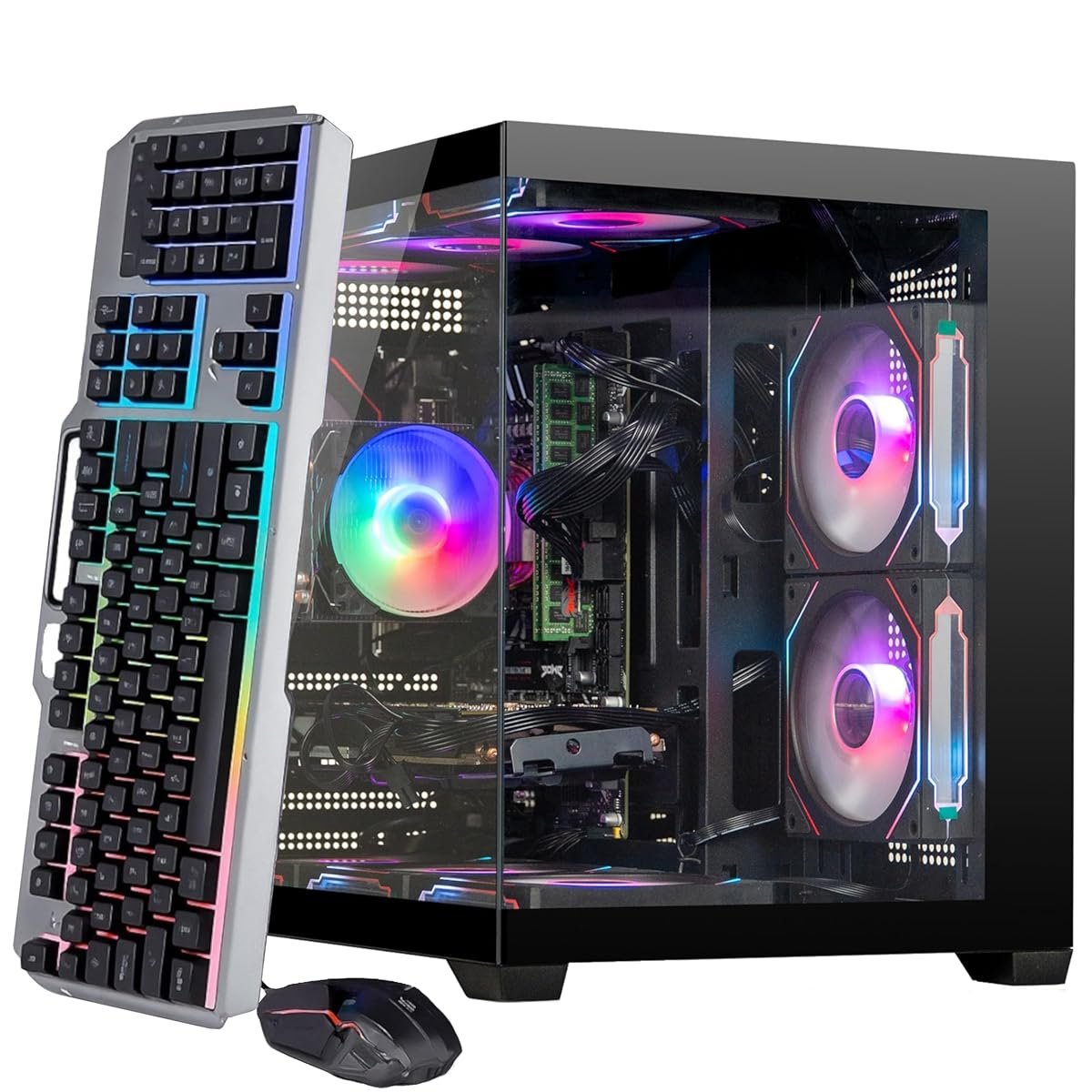
Jarir and Extra stock both in serious quantities now — laptops from ASUS ROG, MSI, Lenovo Legion, Dell Alienware on the laptop side; prebuilt desktops and DIY components on the other. Amazon.sa ships both next-day. The real question isn’t which one is “better” — that’s a meaningless answer without knowing your life. The real question is: which one fits the way you actually live, travel, study, and game in 2025 KSA. We tested a SAR 4,299 ROG Strix G16 and a SAR 3,799 desktop build with the same RTX 4070 across Cyberpunk 2077, Warzone, Elden Ring, and Baldur’s Gate 3. Here’s everything the price tag doesn’t tell you.
Kazazone Verdict: If you live in one place, have a stable desk at home, and mostly game in your room — buy the desktop. Full stop. You’ll get 30% more framerate for less money, a quieter rig, better cooling against Saudi summer, and a 5-year upgrade path instead of buying a new laptop in 3. If you’re a university student moving between Riyadh and your family home in Abha, a content creator who works from cafes, or someone who plays at friends’ houses a lot — the laptop is the right call even if it costs more per frame. Wallah, portability isn’t a spec, it’s a life feature. The worst decision is buying an SAR 4,000 laptop when you never leave your room — that’s pure wasted money.
Head-to-Head Comparison
| Spec | Gaming Laptop (RTX 4070) | Gaming Desktop (RTX 4070) |
| Price (KSA, complete setup) | SAR 4,299 (all-in) | SAR 3,799 + 800–1,400 peripherals |
| Cyberpunk FPS (Ultra, 1440p) | 55–65 FPS (thermal-limited) | 75–90 FPS |
| Warzone FPS (1440p) | 110–140 FPS | 150–200 FPS |
| Upgradability | RAM + SSD only | Everything (GPU, CPU, PSU, cooling) |
| Portability | 2.5kg, takes anywhere | 15kg tower, lives on your desk |
| Summer Performance (43°C room) | Throttles 10–15% by hour 2 | Stable with decent case airflow |
| Useful Lifespan | 3–4 years (battery degrades) | 5–7 years (GPU upgradable) |
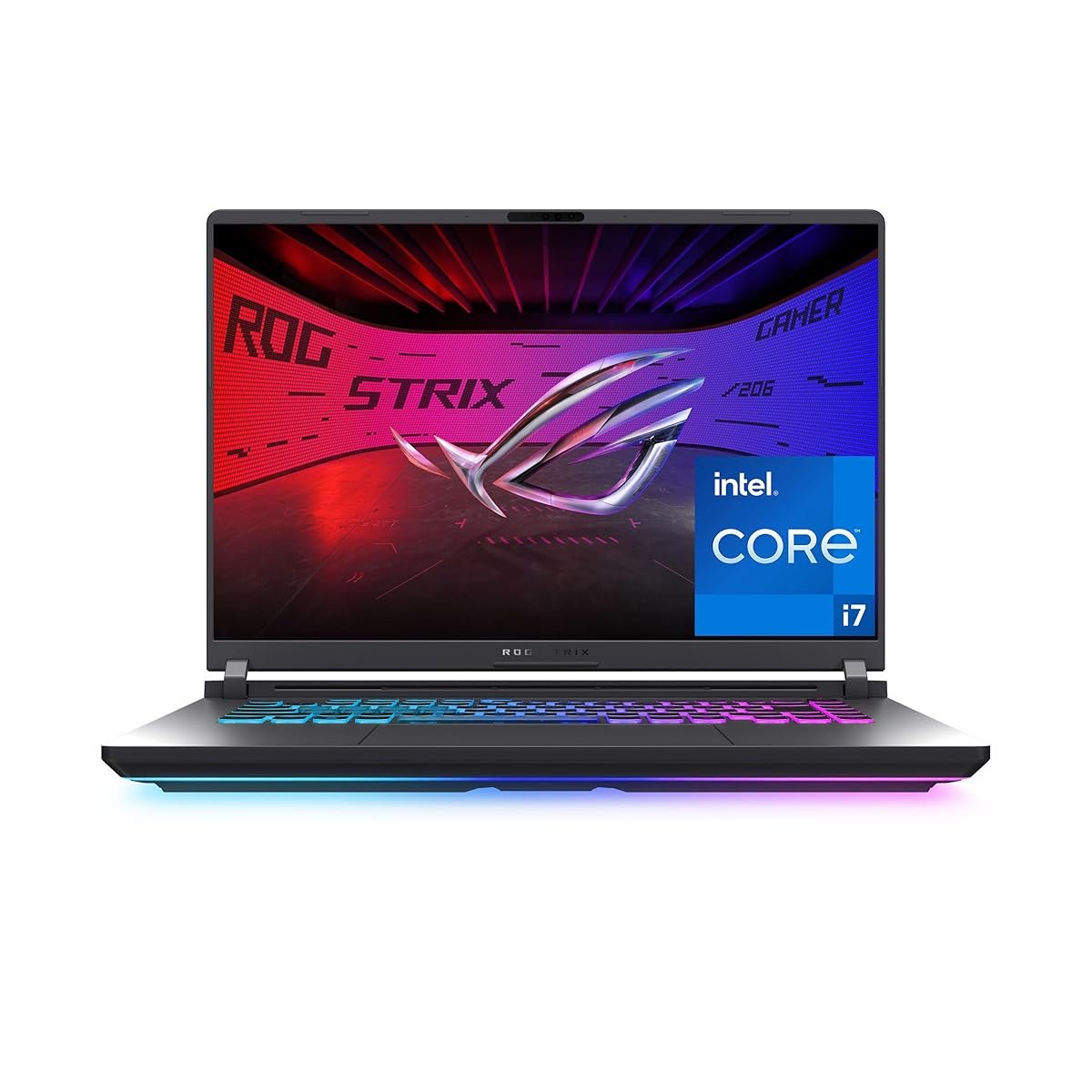
Quick take: The spec sheet says both machines have “RTX 4070” but they are genuinely different GPUs. Laptop RTX 4070 runs at 8GB VRAM and 140W max; desktop RTX 4070 runs at 12GB VRAM and up to 200W. Same name, 30% performance gap. Never trust names alone when comparing laptop to desktop hardware.
The Hidden Costs Nobody Warns Saudi Gamers About
SAR 4,299 or SAR 3,799 is just the sticker. Here’s what actually gets spent over the first year:
- Desktop peripherals — monitor (SAR 800–1,500), keyboard + mouse (SAR 300–600), headset (SAR 200–500), mousepad and USB hub (SAR 100–200). Factor SAR 1,400–2,800 on top of the tower for a full setup. A laptop has all of this built-in at the price.
- Laptop cooling pad — basically mandatory in Saudi summer. A decent one like a Kootek or Havit with 3–5 fans: SAR 120–250. Without it, thermal throttling costs you 15% of peak performance. The laptop’s built-in fans alone can’t handle a 40°C room.
- UPS for desktop — STC and Saudi Electricity voltage fluctuations can fry a desktop PSU mid-game. A 1500VA UPS (APC, Eaton): SAR 400–700. Laptops have built-in battery backup, no UPS needed. If you skip this for desktop, expect 1 component failure every 2–3 years from voltage events.
- Electricity bills — a desktop with RTX 4070 pulls 450–550W peak vs a laptop’s 230W. Over 4 hours daily for a year, the desktop adds roughly SAR 300–450 more on your STC bill. Not huge, but real, especially with tariff increases.
- Laptop battery replacement — at year 3, your laptop battery will be holding 60–70% of original capacity. Replacement via authorized service center: SAR 500–900. Desktops don’t have this problem. Over a 6-year window, this math shifts toward desktop even more.
Real 3-year math: Laptop total (SAR 4,299 + cooling pad + battery swap) = ~SAR 4,720. Desktop total (SAR 3,799 + peripherals + UPS + extra electricity) = ~SAR 5,400. Desktop costs more in year one. Year 6 flips it completely — laptop requires full replacement (~SAR 4,500 more), desktop needs only a GPU upgrade (~SAR 3,000 less). 6-year totals: laptop SAR 9,500+, desktop SAR 8,400. Desktop wins the long game.
So Which One Should YOU Buy?
Choose Laptop (ROG Strix G16) if you…
- 🎮 Travel between KSA cities monthly
- 🎮 Are a uni student living between 2 places
- 🎮 Don’t have a stable desk at home
- 🎮 Need one machine for work AND gaming
- 🎮 Play at friends’ houses or LAN parties
Choose Desktop (RTX 4070 build) if you…
- 🎮 Live in one city year-round with a stable desk
- 🎮 Want to keep the rig for 5–7 years
- 🎮 Care about max framerates and zero throttling
- 🎮 Play AAA single-player at 1440p/4K
- 🎮 Will share the setup with brothers/siblings
Things Saudi Gamers Should Know Before Buying
Saudi summer is the silent killer: From May to September, Riyadh and Jeddah bedrooms regularly hit 32–40°C even with AC cycling. This is the single biggest factor pushing us toward desktop. A desktop with a decent case and 3–4 fans handles this without issue — GPU stays at 70–75°C, CPU at 75–80°C. A gaming laptop in the same room thermal-throttles within 90 minutes, dropping 10–15% of performance. If you mostly game in summer evenings, this is a real, quantifiable difference.
Availability and service in KSA: Both routes are well-served. Jarir, Extra, and Amazon.sa stock ASUS, MSI, Lenovo, Dell, HP gaming laptops with proper Saudi warranty. For desktops, Amazon.sa has growing prebuilt selection now, and Jarir’s computer section will assemble a custom tower from components if you don’t want to DIY. For DIY builders, online stores like Sahara.sa and Mindware offer parts. Labor for custom build at Jarir: SAR 200–400 if you prefer someone else to put it together.
Warranty reality: ASUS offers 2-year on ROG Strix with Saudi dealer stamps — accidental damage coverage is a paid add-on worth considering if you travel. Desktop component warranties vary — MSI/ASUS/Gigabyte GPUs are 3 years, Corsair/Kingston RAM is often lifetime, motherboards are 3–5 years. Prebuilt desktops from brands like HP OMEN or Lenovo Legion Tower carry 1–2 year warranties. Grey-market laptops from some Haraj sellers don’t have Saudi warranty — always verify authorized dealer before paying.
Arabic/MENA software and gaming: No platform-level issues either way in 2025. Windows 11 Arabic support is excellent on both. Steam, Epic, PlayStation Network all work flawlessly with Saudi accounts. Laptop Arabic keyboard layout is included on most ROG/MSI/Lenovo units sold in KSA; desktop Arabic keyboards are SAR 250–600 for mechanical models. Gaming latency to EU West servers from KSA is roughly 90–120ms on both, which is the network limit not the hardware.
Resale in Saudi: Gaming desktops hold value poorly in the first 2 years (30–40% recovery on Haraj and Facebook Marketplace) but can be cannibalized — sell the GPU alone for 60% of purchase price, keep the case/CPU/motherboard for a cheap rebuild. Gaming laptops depreciate faster (25–35% recovery after 2 years) and can’t be parted out — they either sell whole or go in the drawer. If you might switch platforms or upgrade later, desktop is more flexible. If you’re keeping it locked for 3 years then buying new, laptop is fine.
Frequently Asked Questions
Can I plug a monitor into a gaming laptop to get desktop-like performance?
You can plug in an external monitor, keyboard, and mouse — it’s a great way to use the laptop as a “desktop replacement” at home. But the laptop’s internal thermal and power limits don’t change. You’ll still get 30% less FPS than an equivalent desktop because the GPU is the same laptop chip at 140W. External monitor helps with screen size and gives you a bigger display, but it doesn’t unlock desktop-class performance.
Is building a PC in Saudi difficult?
Not anymore. Component availability from Amazon.sa, Sahara.sa, and Mindware is excellent; YouTube guides cover every step; and Jarir will assemble for SAR 200–400 if you bring the parts. Most first-time builders in KSA complete a build in 3–5 hours. The main risk is matching components correctly — use PCPartPicker.com to auto-check compatibility before ordering. If you’re nervous, a prebuilt from Amazon.sa or HP OMEN line gives you desktop performance without the assembly.
How does Saudi electricity voltage affect gaming PCs?
Saudi runs on 230V 60Hz which is within the tolerance of all modern gaming PSUs rated 100–240V. However, voltage fluctuations and occasional surges (especially during summer peak load) can stress components. For desktops, a 1500VA UPS like APC Back-UPS Pro or Eaton 1500 (SAR 400–700) prevents surge damage and gives 5–10 minutes to save and shut down safely during outages. For laptops, the built-in battery handles this. Don’t skip UPS on a desktop in KSA.
Will PS5 Pro or Xbox Series X replace the need for a gaming PC?
For 80% of Saudi gamers who play AAA single-player and casual multiplayer, a PS5 Pro at SAR 2,600 genuinely does. For competitive PC esports (Valorant, CS2, League), online MMOs, mods, emulation, productivity/uni work, or content creation — no, you still need a PC. The decision isn’t PC vs console anymore; it’s how much flexibility you need. Many KSA gamers end up with both: a PS5 for AAA, and a modest gaming laptop or desktop for PC-exclusive games and work.
Should I buy now or wait for RTX 50 series?
RTX 50-series laptops arrive through 2026 at a premium. Desktops RTX 50 are already out but pricing is elevated and availability in KSA is inconsistent. If you genuinely need the machine now, RTX 40-series is still excellent and will comfortably play everything at high settings through 2028. If you can wait 6 months for White Friday 2026 deals on either generation, that’s the smarter move. Don’t wait more than 6 months — the perfect machine at the perfect price never arrives.
As an Amazon Associate, Kazazone earns from qualifying purchases. When you buy through our links, we may earn a small commission at no extra cost to you. This helps us keep creating honest, independent reviews for Saudi gamers.