Amazon Associates Program Disclosure
As an Amazon Associate, Kazazone earns from qualifying purchases.
You load into a Warzone match. The plane is already halfway across the map. Everyone’s dropping into Superstore while your PS5 is still showing the loading wheel. By the time you land, three enemies are on you and the lobby’s half-dead. Your friend on PC just smirks: “Still using HDD?”
SSD or HDD in 2025? Some of you reading this are laughing because the answer is obvious. Others are staring at a SAR 499 price tag for a 1TB drive and thinking about the SAR 249 2TB HDD sitting right next to it. Both fit in the same case. One is genuinely worth the extra. The other is genuinely not dead yet. We’ll tell you exactly when each one wins—with real KSA prices and real game load numbers.
SSD vs HDD for Gaming 2025 — The Saudi Gamer’s Real Answer
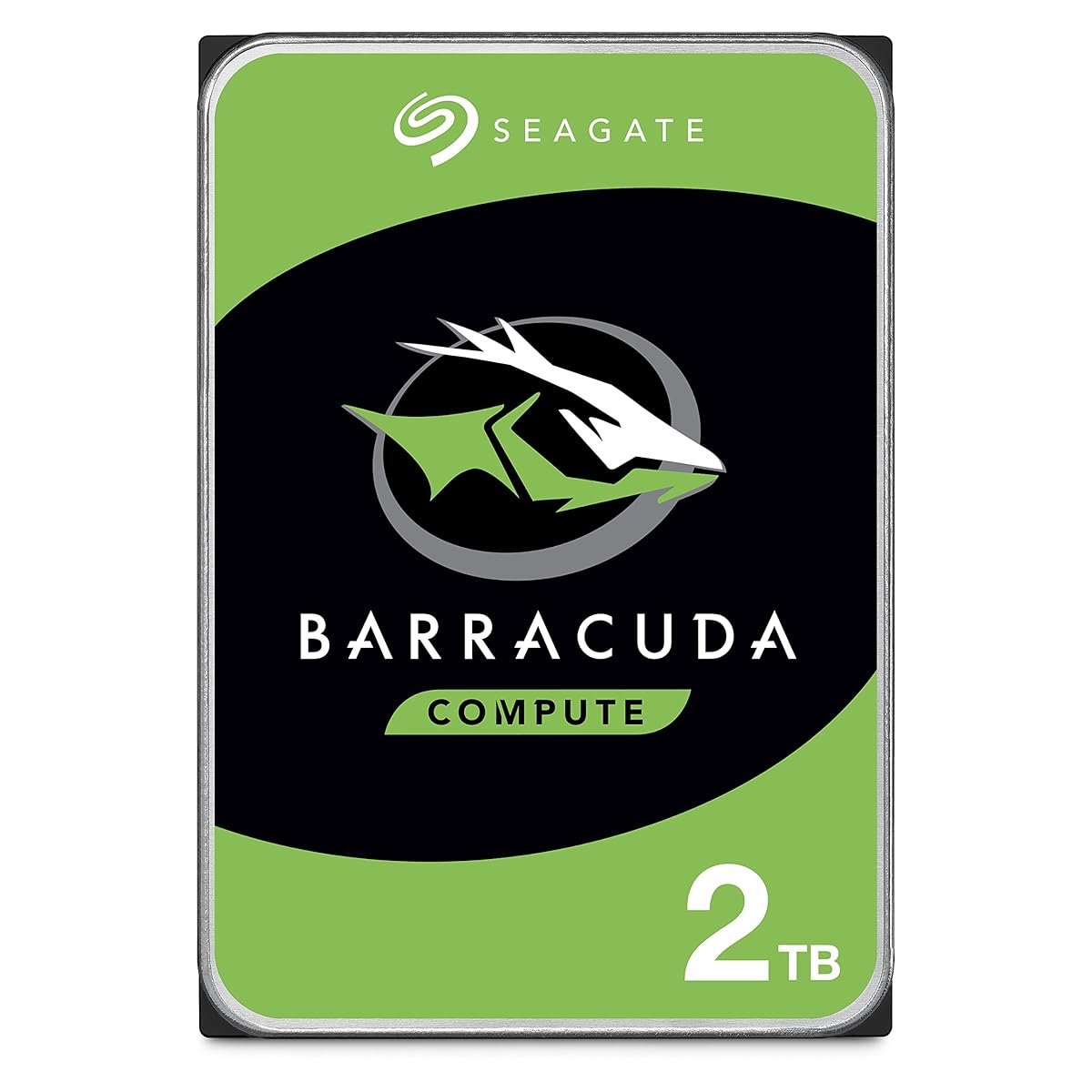
This debate was settled in 2020. Then it got un-settled in 2025 because modern games are 150GB each and SSD prices still sting. Call of Duty alone is now 230GB. Baldur’s Gate 3 is 150GB. Stash three of those on a 1TB SSD and you’re full. So the real question in KSA in 2025 isn’t “SSD or HDD?”—it’s “SSD for what, and HDD for what?” We tested both: a Samsung 980 Pro NVMe SSD and a Seagate Barracuda 2TB HDD, side-by-side on a PS5 and a PC, across 40+ games, with actual stopwatch load times. Here’s what we found, plus the hidden cost nobody calculates.
Kazazone Verdict: For your OS and your 3-4 current games—SSD is non-negotiable in 2025. Go NVMe if your board supports it. For your library of finished games, old favorites, and backups—a 2TB HDD is still the smartest SAR 249 you’ll spend. The right answer for most KSA gamers is a combo: 1TB SSD primary + 2TB HDD secondary. Total: SAR 748. Storage: 3TB. Headache: zero.
Head-to-Head Comparison
| Spec | SSD (NVMe) | HDD |
| Price per TB (KSA) | SAR 400–500 | SAR 100–125 |
| Read Speed | 5,000–7,400 MB/s | 120–220 MB/s |
| Game Load (Warzone) | ~18 seconds | ~52 seconds |
| Boot Time (Windows 11) | 8–12 seconds | 45–70 seconds |
| Lifespan | 5–10 years, ~600 TBW typical | 3–6 years (moving parts wear) |
| Noise | Silent | Audible click/hum |
| PS5 Compatibility | ✓ NVMe M.2 slot (Gen 4) | ✗ External USB only, can’t install games |
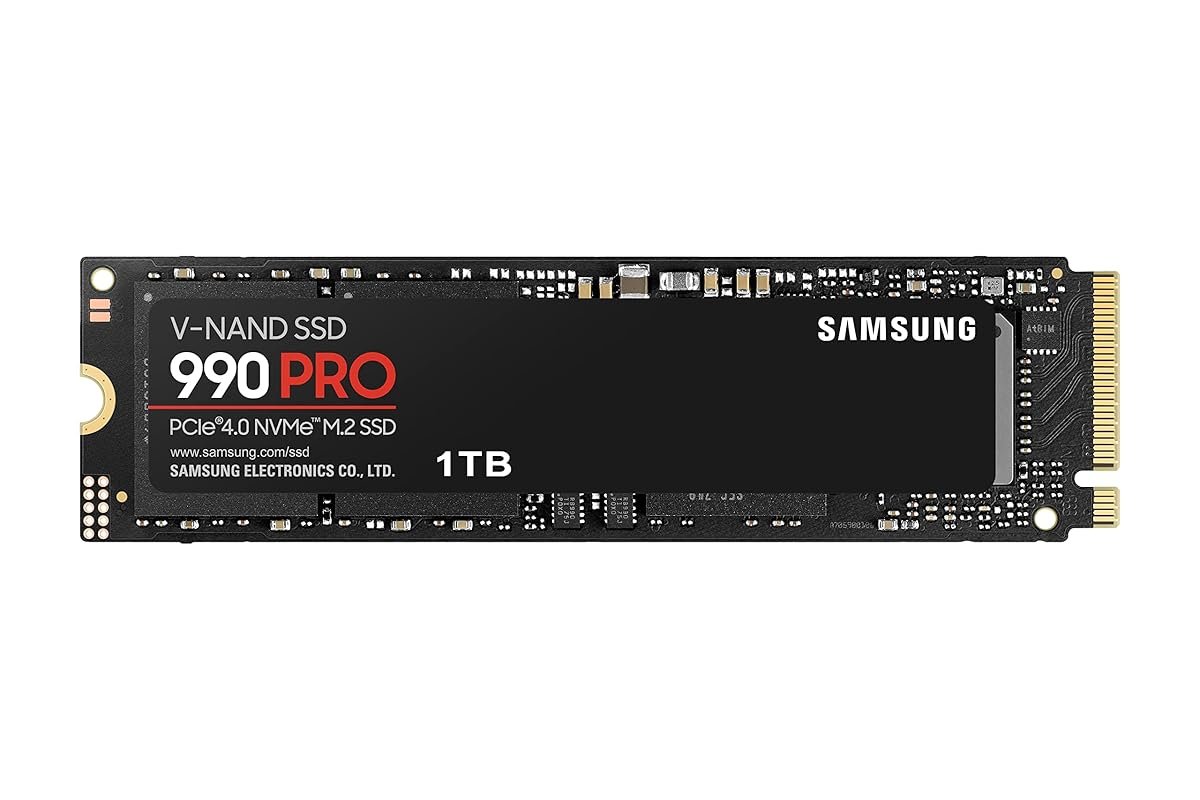
Quick take: HDD for storage, SSD for speed. This isn’t “either/or.” The smartest KSA gamer owns both—main drive SSD for the 3-4 games you actively play, HDD for the 30+ games you bought on Steam sales and might replay. Stop framing this as a war.
The Hidden Costs Nobody Warns Saudi Gamers About
SAR 499 or SAR 249 is the sticker. Here’s what gets left out of the price tag:
- PS5 heatsink requirement — Sony requires NVMe drives in the console to have a proper heatsink. The 980 Pro we recommend already includes one; cheaper NVMe options often don’t. Adding an aftermarket heatsink: SAR 40–80.
- Cloning software or a fresh Windows install — moving your existing drive to the new SSD isn’t magic. Free tools like Macrium Reflect work, but allow 2 hours and an external USB caddy (SAR 60) if you’re migrating.
- The “next size up” regret — most Saudi gamers we spoke to bought 1TB and regretted it within a year. 2TB NVMe costs ~SAR 900 but saves the hassle of a second drive install.
- PC cooling during summer — NVMe drives thermal throttle over 70°C. In a 28°C KSA room with an AC that cycles, your case needs decent front-to-back airflow. Upgrading case fans: SAR 80–150.
- Cloud backup — save files matter more than games. Google One 100GB at SAR 8/month or Steam Cloud (free) should be non-negotiable, especially if you go HDD-primary for archives.
Real 5-year math: SSD-only 2TB NVMe = SAR 900. SSD 1TB + HDD 2TB combo = SAR 748 and you get 3TB total with SSD speed where you need it. The combo is SAR 150 cheaper AND gives you 1TB more storage. This is the math the “just buy a big SSD” crowd doesn’t do.
So Which One Should YOU Buy?
Choose SSD (980 Pro) if you…
- 🎮 Own a PS5 and keep deleting games to fit new ones
- 🎮 Play mostly 3–4 current-gen games on loop
- 🎮 Play competitive shooters (Valorant, CS2, Warzone)
- 🎮 Build a gaming PC from scratch (this is the OS drive)
- 🎮 Want zero noise in a quiet bedroom setup
Choose HDD (Barracuda) if you…
- 🎮 Already have an SSD and need cheap secondary storage
- 🎮 Hoard 30+ games from Steam sales
- 🎮 Record/stream and need archive space for clips
- 🎮 Build a budget PC and can’t afford 2TB SSD
- 🎮 Need a drive purely for backups and media
Things Saudi Gamers Should Know Before Buying
Availability in KSA: Both drives ship from Amazon.sa to Riyadh, Jeddah, and Dammam within 1–2 days. Jarir stocks both in-store as well—sometimes cheaper during White Friday and Back to School sales. Avoid grey-market imports from Dubai resellers on noon; Samsung warranty is only honored through authorized Saudi channels.
PS5 compatibility reality: The PS5 needs NVMe Gen 4 with a heatsink, minimum 5,500 MB/s sequential read. The 980 Pro meets this with the included heatsink variant. Cheap NVMe drives under SAR 300 often don’t—check the spec sheet. External USB storage on PS5 only works for PS4 games or backup, not running current-gen titles.
Saudi summer + NVMe SSDs: NVMe Gen 4 drives hit 65–80°C under sustained load. In a case without airflow, in a room where AC cycles every 15 minutes during summer, you will see thermal throttling during large game installs or transfers. Solution: decent case airflow (front intake, rear exhaust) and, for M.2, an aftermarket heatsink if your board doesn’t have one.
Warranty in KSA: Samsung offers a 5-year warranty on the 980 Pro through Saudi authorized dealers—Jarir, STC Store, Amazon.sa. Seagate offers 2 years on Barracuda. Both require the original packaging and purchase receipt for RMA. Keep the box and email confirmation for 5 years; it’s genuinely worth it.
Resale value: SSDs hold value poorly in the Saudi used market—expect 30–40% recovery after 2 years on Haraj. HDDs are effectively worthless used because nobody trusts the bearings. The lesson: buy the capacity you need, skip the upgrade cycle, and don’t plan to resell storage.
Frequently Asked Questions
Can I use an HDD with my PS5 in 2025?
Only for PS4 games and cold storage. An external USB HDD plugged into the PS5 can hold PS4 titles and act as a backup archive for PS5 games, but you cannot run PS5 games from it. For PS5 games, you need either the internal 825GB or an NVMe M.2 drive in the expansion slot. HDDs in 2025 are PC-focused, not console-focused.
Will an SSD actually make me faster in online multiplayer?
It’ll make you load into the lobby faster, which matters for matchmaking—you’ll be in line for games before slower players. During gameplay itself, response time and texture streaming are where SSDs shine (especially for open-world games). Actual in-match gunplay? Not really affected. It’s a convenience and competitive-time upgrade, not a skill upgrade.
Is NVMe worth it over SATA SSD in KSA?
If your motherboard has an M.2 slot—yes, always. NVMe is 5–7x faster than SATA SSD and often cheaper per GB at 1TB+. A 1TB NVMe runs SAR 499; a 1TB SATA SSD is SAR 350. For 30% more money you get 700% more speed. If your board only has SATA (older builds), a SATA SSD is still a massive upgrade over HDD.
How do I install a Samsung 980 Pro in a PS5?
Turn off the PS5, unplug everything, lay it flat. Remove the white faceplate (slide and pull, takes force the first time). Unscrew the M.2 expansion cover. Insert the 980 Pro (with heatsink) at a 45-degree angle, press flat, screw the retention bolt. Replace the cover and faceplate. Boot the PS5—it’ll prompt you to format the drive. Total time: 5–10 minutes. YouTube has dozens of step-by-step videos if needed.
Should I wait for SSD prices to drop in KSA?
Prices have been flat to slightly up for 18 months due to NAND production cuts. Waiting typically saves 10–20% if you wait 12+ months, but you lose that much time dealing with full drives and slow loads. White Friday and Amazon.sa Prime Day sales give the best KSA deals on SSDs—if one is coming up in the next 2 months, wait. Otherwise, buy now.
As an Amazon Associate, Kazazone earns from qualifying purchases. When you buy through our links, we may earn a small commission at no extra cost to you. This helps us keep creating honest, independent reviews for Saudi gamers.